
Keep your handbook current
Update your employee handbook without reissuing documents.
Small changes get pushed aside when every edit means another Word file, PDF, email, and round of questions about which version employees should read. With Blissbook, sharing an update is the same routine every time: publish, and everyone's reading the new version.
Sounds good?Request a Demo
Companies large and small trust Blissbook.


Ready for round two
Your handbook stays ready for the next change.
Your handbook and policies live online in one place. Edit content yourself, publish, and employees read the new version the next time they open it. You make the change on your own schedule, and nobody has to redistribute a file.
Measurable impact
Fewer admin hours. Compliance goals: met.
Signatures Collected
Employee handbook (and related) signatures collected.
Signed by Due Date
If 2 or more reminders are sent before the due date.
Signed in 90 Days
If 2 or more reminders are sent to signers at any time.
Side-by-side clarity
Employee handbook updates, before and after Blissbook
Word files, emailed PDFs, shared drives, and spreadsheets leave you piecing together what changed and who has the current copy. Blissbook keeps the update work, employee access, and policy history connected.
Word files, PDFs, and email threads, one update at a time.

One online handbook, with the history attached.

How Blissbook handles handbook updates
Skip the annual scramble
Change one policy without redoing the whole handbook.
Tuesday's typo doesn't need to wait for an annual handbook rewrite. You edit the policy in your online handbook, stage the work before publishing, and decide when employees see the finished update. Nobody gets a reissued PDF, and your content stays under your control.
Goodbye, copy/paste
Keep shared policies current wherever they appear.
A single policy can live in multiple handbooks or documents. Update it once in the Policy Library, and the change publishes across every document where it appears, so you aren't hunting through folders for each copy (future you will thank you).
One answer, every time
Give every employee the handbook that's relevant to them.
Nobody has to ask you which attachment is the right one. Employees open the same handbook every time, and the version they find is the one you published last. Old copies saved to desktops stop competing with the real one.
Show your work
See exactly what changed when someone asks.
When legal asks what changed, version history shows it: additions, deletions, and formatting changes, with any two published versions side by side. Revision history adds each individual edit, who made it, and when. You answer from the policy itself instead of comparing two PDFs by hand.
Law changes
Spot policy changes worth reviewing before they pile up.
Labor Law Updates tracks employment law changes across federal, state, and local jurisdictions and flags the ones likely to affect your policies, with suggested edits to your own language. A new state law becomes a quick edit instead of an item for next year's rewrite.
Explain the change
Give employees context right where the policy changed.
Add a note right beside the changed text, and employees read the context where the policy changed. Anyone signing again sees a summary of what's changed since they last signed. When you publish, send a notification email so nobody misses it.
Receipts included
Know what employees saw and signed.
When a significant update calls for a new acknowledgement, start a new signature round for everyone or only the people it affects, even if they signed before. Blissbook keeps the exact content each employee could see when they signed, so you can view or print it later.
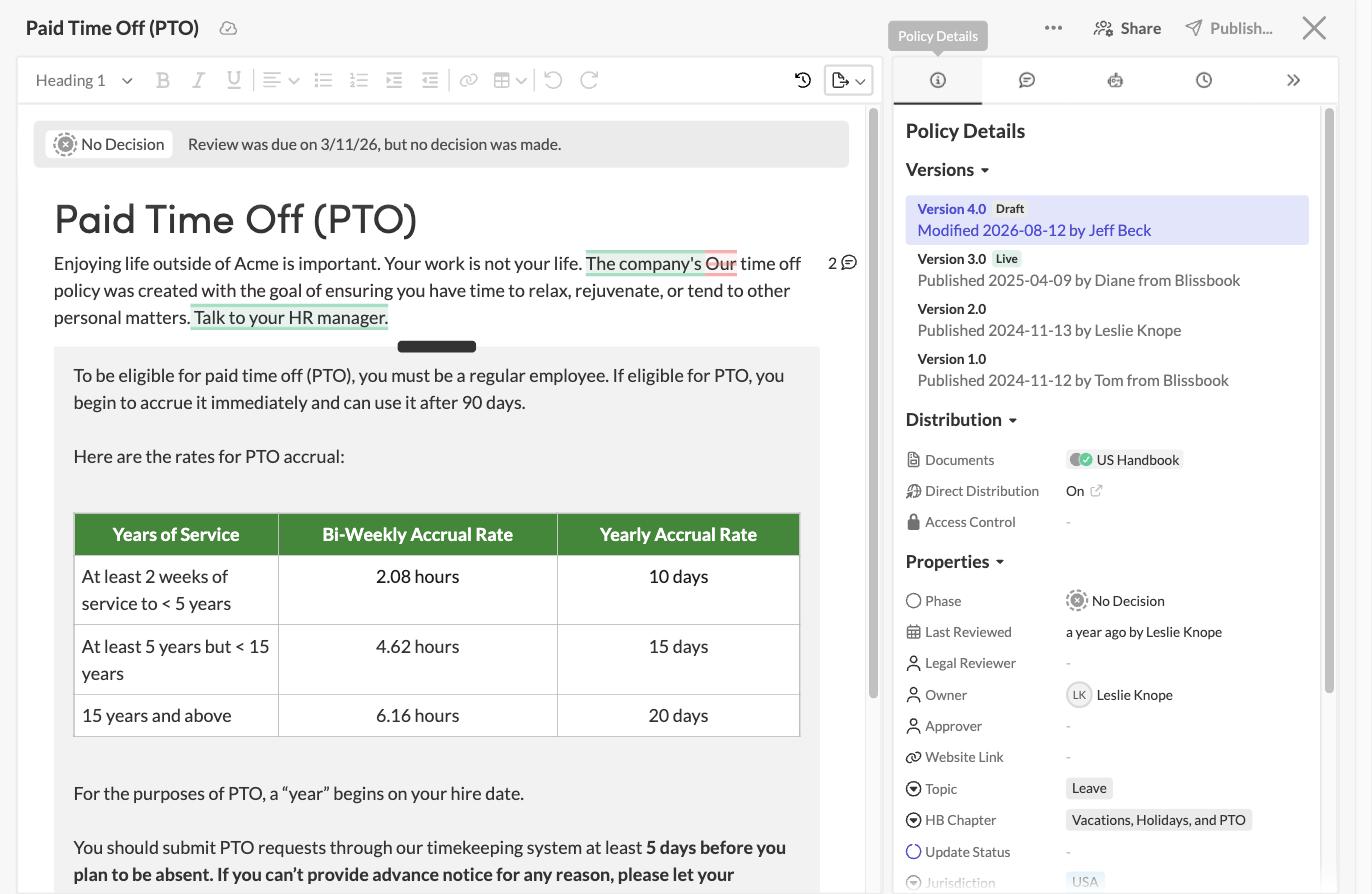
Skip the annual scramble
Change one policy without redoing the whole handbook.
Tuesday's typo doesn't need to wait for an annual handbook rewrite. You edit the policy in your online handbook, stage the work before publishing, and decide when employees see the finished update. Nobody gets a reissued PDF, and your content stays under your control.
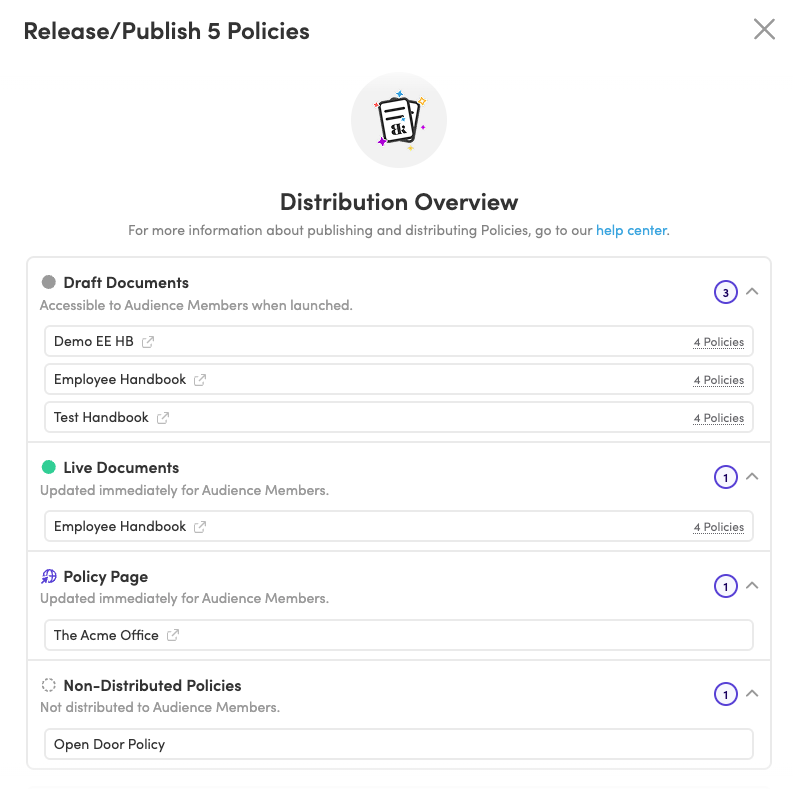
Goodbye, copy/paste
Keep shared policies current wherever they appear.
A single policy can live in multiple handbooks or documents. Update it once in the Policy Library, and the change publishes across every document where it appears, so you aren't hunting through folders for each copy (future you will thank you).
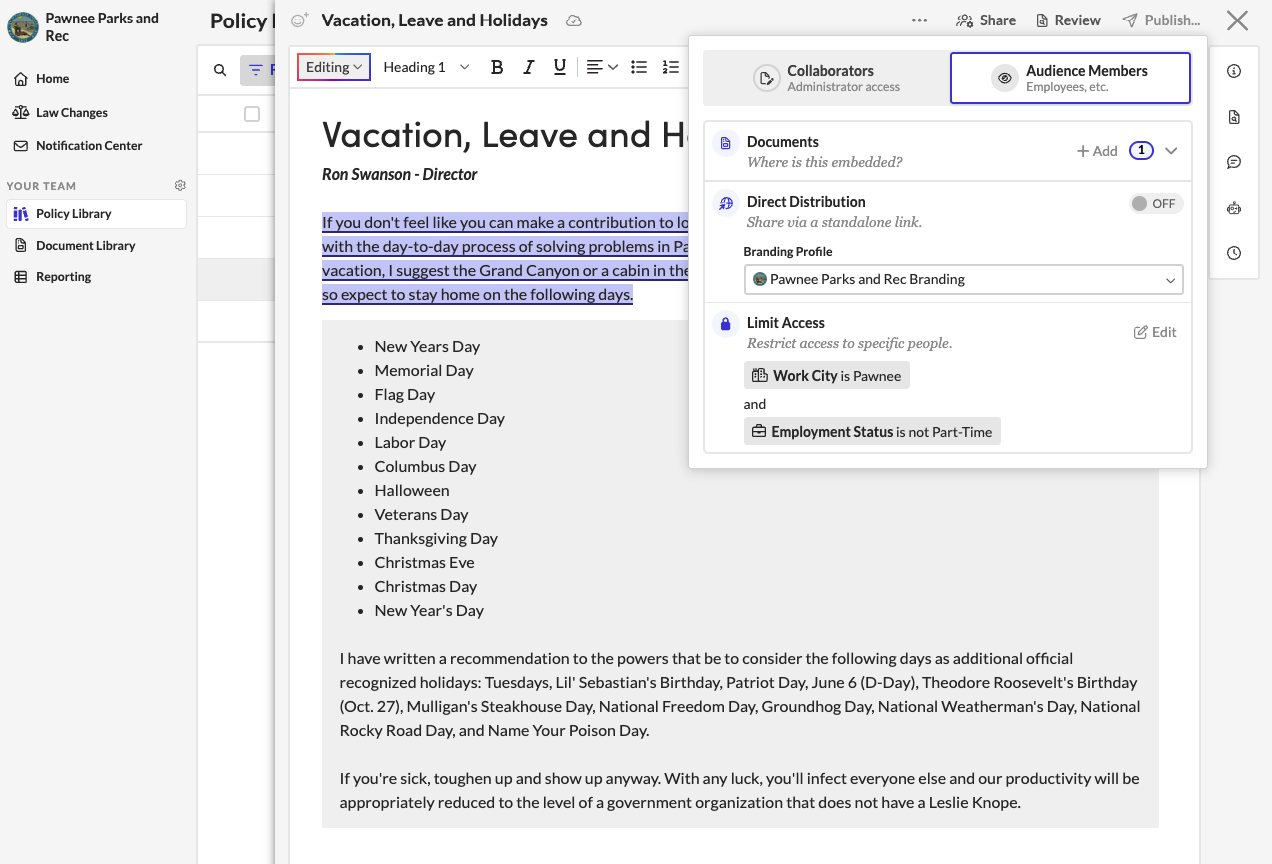
One answer, every time
Give every employee the handbook that's relevant to them.
Nobody has to ask you which attachment is the right one. Employees open the same handbook every time, and the version they find is the one you published last. Old copies saved to desktops stop competing with the real one.
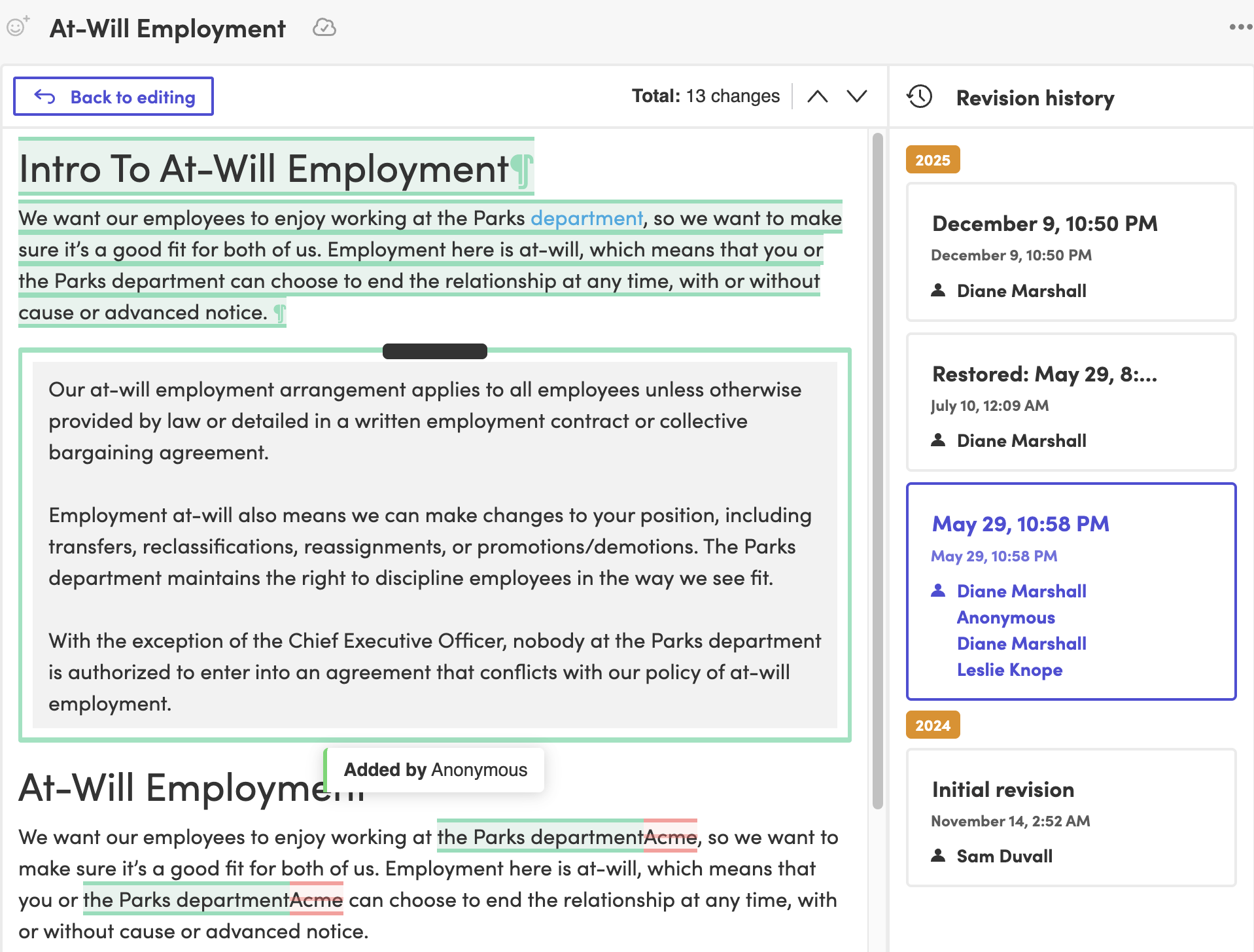
Show your work
See exactly what changed when someone asks.
When legal asks what changed, version history shows it: additions, deletions, and formatting changes, with any two published versions side by side. Revision history adds each individual edit, who made it, and when. You answer from the policy itself instead of comparing two PDFs by hand.

Law changes
Spot policy changes worth reviewing before they pile up.
Labor Law Updates tracks employment law changes across federal, state, and local jurisdictions and flags the ones likely to affect your policies, with suggested edits to your own language. A new state law becomes a quick edit instead of an item for next year's rewrite.
Explain the change
Give employees context right where the policy changed.
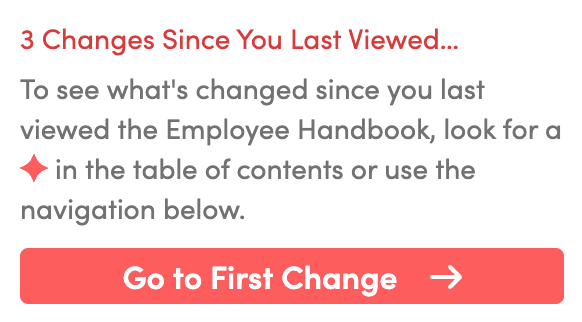
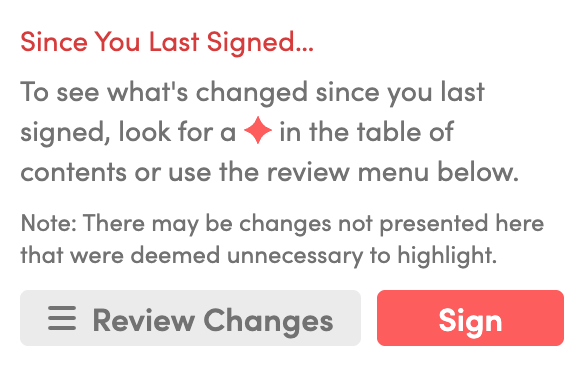
Add a note right beside the changed text, and employees read the context where the policy changed. Anyone signing again sees a summary of what's changed since they last signed. When you publish, send a notification email so nobody misses it.
Receipts included
Know what employees saw and signed.
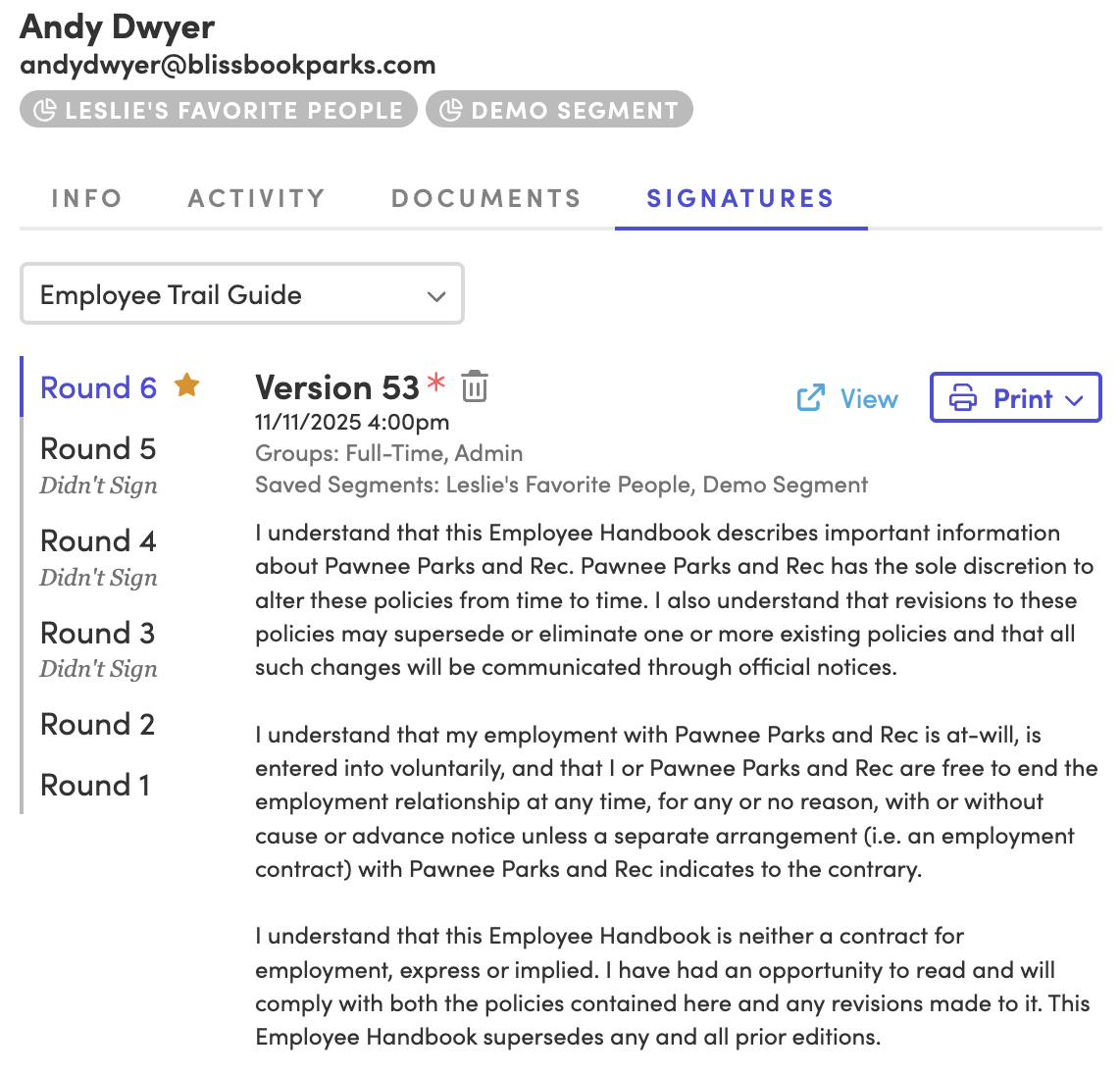
When a significant update calls for a new acknowledgement, start a new signature round for everyone or only the people it affects, even if they signed before. Blissbook keeps the exact content each employee could see when they signed, so you can view or print it later.
Blissbook has transformed how we manage and communicate our employee handbook and mandatory acknowledgments... we've surpassed our Handbook Campaign goals in both timeliness and completion rates.
 Jill Wolfe, HR Compliance, Shutterfly
The process to collect and audit employee signatures (now electronically!) has never been easier. A major improvement and advancement for employee handbooks!
 Amy Turner, HR Operations, Cengage
We love how easy it is to update content, communicate changes with employees, and report on acknowledgements. We couldn't be happier!
 Mystel Duke, SVP HR, SWBC
Blissbook has been an outstanding partner that helped us turn 150+ handbooks into 1 - our first electronic handbook.
 Kris Cegielski, HR Business Partner, Ashley Furniture
We love how easy it is to update our Team Member Handbook and the annotations feature really simplifies communicating changes with employees.
 Concetta Lewis, People Development, Daxko
We're so glad we decided to work with Blissbook when we replaced our PDF handbook. Yes, the product is great. More importantly, when we need help, they make us feel like we're their only customer.
 Keesha-Ann Murphy, Human Capital Generalist, Russell Reynolds Associates
The result of this hard work is a beautiful global handbook we are so proud of and that is very Slalom.
 Mel Murphy, Policy & Compliance Program Manager, Slalom
Everything you need for employee handbook updates
- Online employee handbooks
- Word document imports
- Policy management software
- Model policies
- Edit once, publish everywhere
- Version history
- Side-by-side redline comparisons
- Revision history
- Change annotations
- Notification emails
- Labor Law Updates
- New signature rounds
- Data Lineage Reports
Employee
Handbook
Update FAQs.
Ready to keep your handbook current?
Getting started
What happens after you request a demo
- 1
A customized walkthrough
We schedule a call and cover what you care about, from the first signature round to the report at the end.
- 2
Easy to use from day one
Blissbook is straightforward to run, so your team gets going quickly without a heavy learning curve.
- 3
Customer success by your side
We'll help with setup, content migration, and design, so your first signature round works like a charm.