
Sign-off, signed off
Collaborate on your employee handbook with approvals on record.
Do the work, not the work around the work. Blissbook documents every edit, review, piece of feedback, and approval, so when an auditor asks who approved what and when, the answer's already there.
Sounds good?Request a Demo
Companies large and small trust Blissbook.


Reviews on the record
Your audit trail builds itself while your team works.
Blissbook runs policy review and approval right inside your Policy Library. Send policies out, collect comments, suggested edits and approvals, and publish when they're ready. Every version, review and approval is recorded on the policy itself, so the history stays out of the policy text and ready for any audit. Need a head start? Blissbook's AI Check can review your policies too.
Measurable impact
Fewer admin hours. Compliance goals: met.
Signatures Collected
Employee handbook (and related) signatures collected.
Signed in 90 Days
If 2 or more reminders are sent to signers at any time.
Audit Readiness
Time-stamped signature records tied to the exact policies viewed.
Side by side
Every review leaves a record you can pull on demand.
Each row sets a familiar review habit next to the same step in Blissbook.


How Blissbook runs policy review and approval.
Right reviewers, every time
Send policies for review with a due date and clear instructions.
Pick one policy or a whole batch, add the reviewers, a due date and a note on what to look for, then decide whether one approval is enough or everyone has to sign off. Name the review, like "Legal review," and reuse it next round (your future self says thanks). Your reviewers know exactly what's needed and by when.
Feedback in one place
Reviewers comment, suggest edits and decide right on the policy.
Each reviewer opens the policy, leaves comments or suggested edits, then approves or requests changes. The policy's status moves with them, from in review to needs revision to approved, so you see where things stand at a glance. Suggested edits wait for you to accept, and the live policy stays as it is until you publish.
Receipts, built in
Every review and approval is recorded on the policy.
Blissbook keeps every version, review and approval with the policy, automatically, along with the release notes you write for each change. The tracking table at the bottom of each Word file can retire, and employees read only the policy. When someone asks who approved the remote work policy last spring, the answer is already on the record.
Nudges on autopilot
Reviewers get a weekly reminder of what's waiting on them.
A Monday digest lists the policies each reviewer still has open, so the follow-ups go out without you writing them (your inbox will notice). Built-in library views show what's awaiting your review, what you've asked others to review and everything currently in review, so the next person to nudge is easy to spot.
Same time next year
Policies come back for review on the schedule you set.
Set each policy to expire on a date that fits, like every January 1, and name who's responsible for renewing it. When the date arrives, the policy is flagged in your library and that person gets a reminder every week until it's renewed. Annual reviews happen on time, and nobody has to remember them.
Your library, your way
See what's in review, what's approved and what's coming due.
Add your own properties to each policy, like owner, approver or jurisdiction, then filter the library by them or by review stage. Save views such as "Everything in legal review" for yourself or the whole team. Your Monday status check starts from one shared view that everyone on the team reads the same way.
Audit-ready, on request
Hand your auditor a policy's full history in one PDF.
Data Lineage Reports pull a policy's versions, reviews, approvals and activity into one PDF for any time period you choose. Presets for SOC 2, ISO 27001 and other common audits fill in the settings, and one export can cover many policies at once. The report sits alongside the rest of your compliance records, ready when the request comes in.
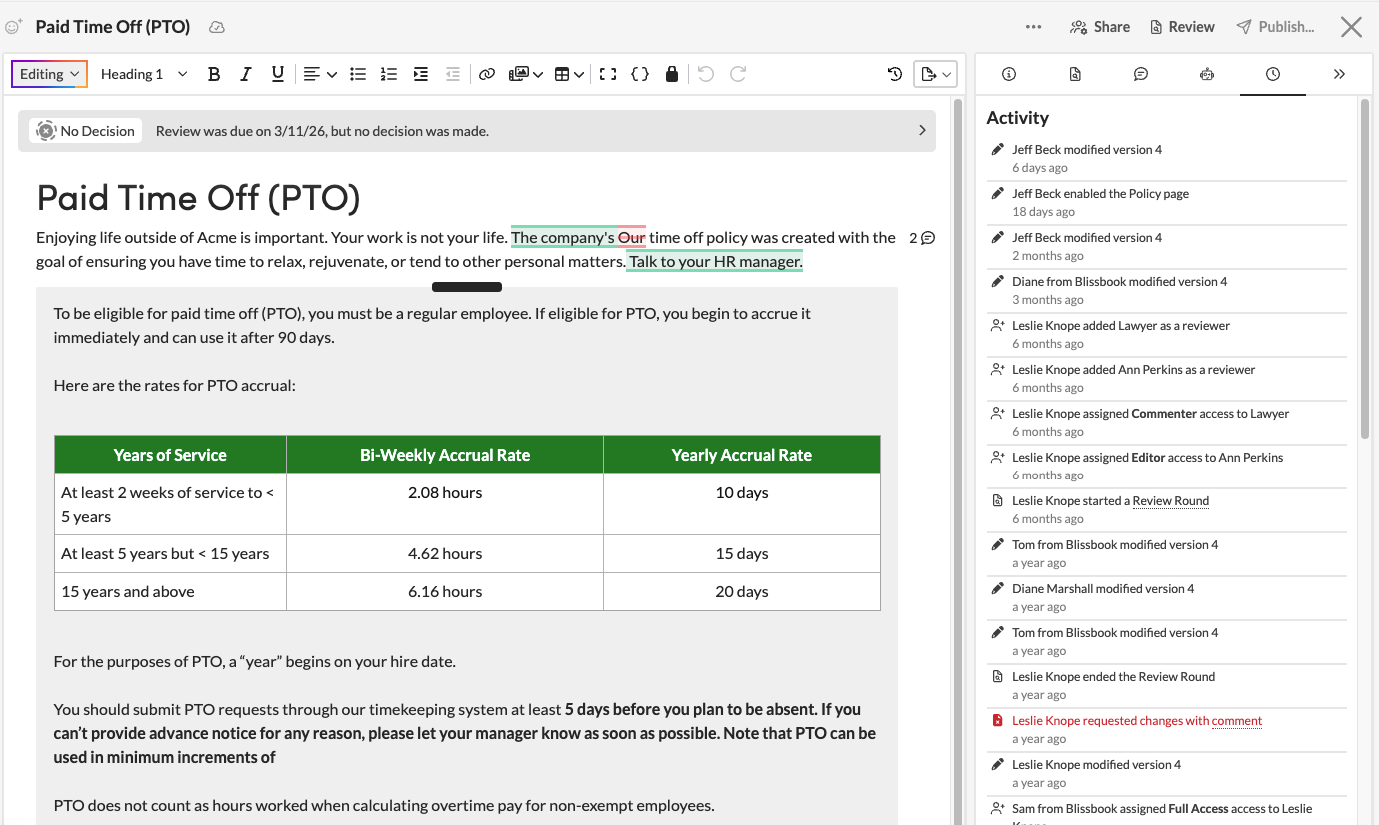
Right reviewers, every time
Send policies for review with a due date and clear instructions.
Pick one policy or a whole batch, add the reviewers, a due date and a note on what to look for, then decide whether one approval is enough or everyone has to sign off. Name the review, like "Legal review," and reuse it next round (your future self says thanks). Your reviewers know exactly what's needed and by when.

Feedback in one place
Reviewers comment, suggest edits and decide right on the policy.
Each reviewer opens the policy, leaves comments or suggested edits, then approves or requests changes. The policy's status moves with them, from in review to needs revision to approved, so you see where things stand at a glance. Suggested edits wait for you to accept, and the live policy stays as it is until you publish.
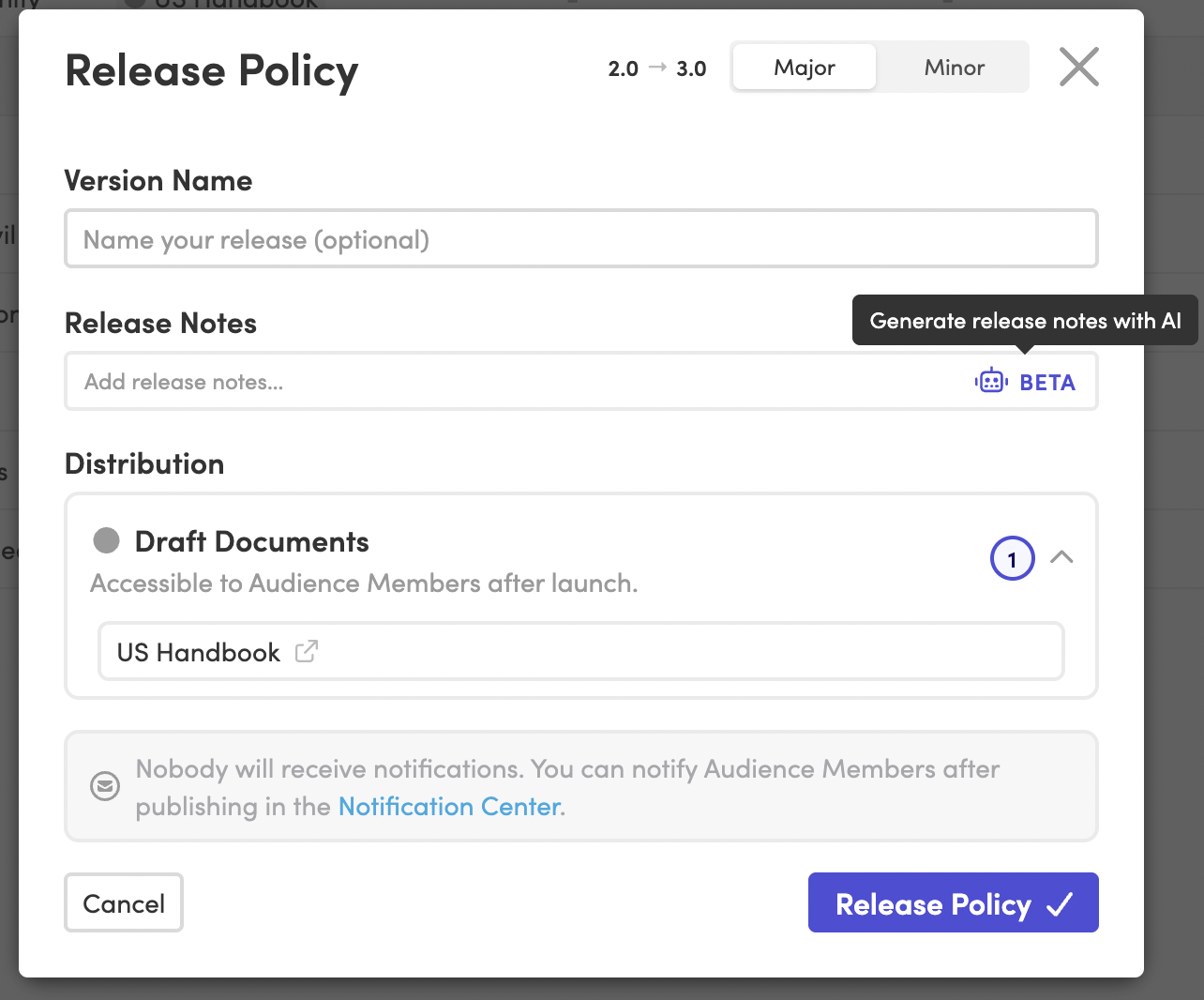
Receipts, built in
Every review and approval is recorded on the policy.
Blissbook keeps every version, review and approval with the policy, automatically, along with the release notes you write for each change. The tracking table at the bottom of each Word file can retire, and employees read only the policy. When someone asks who approved the remote work policy last spring, the answer is already on the record.
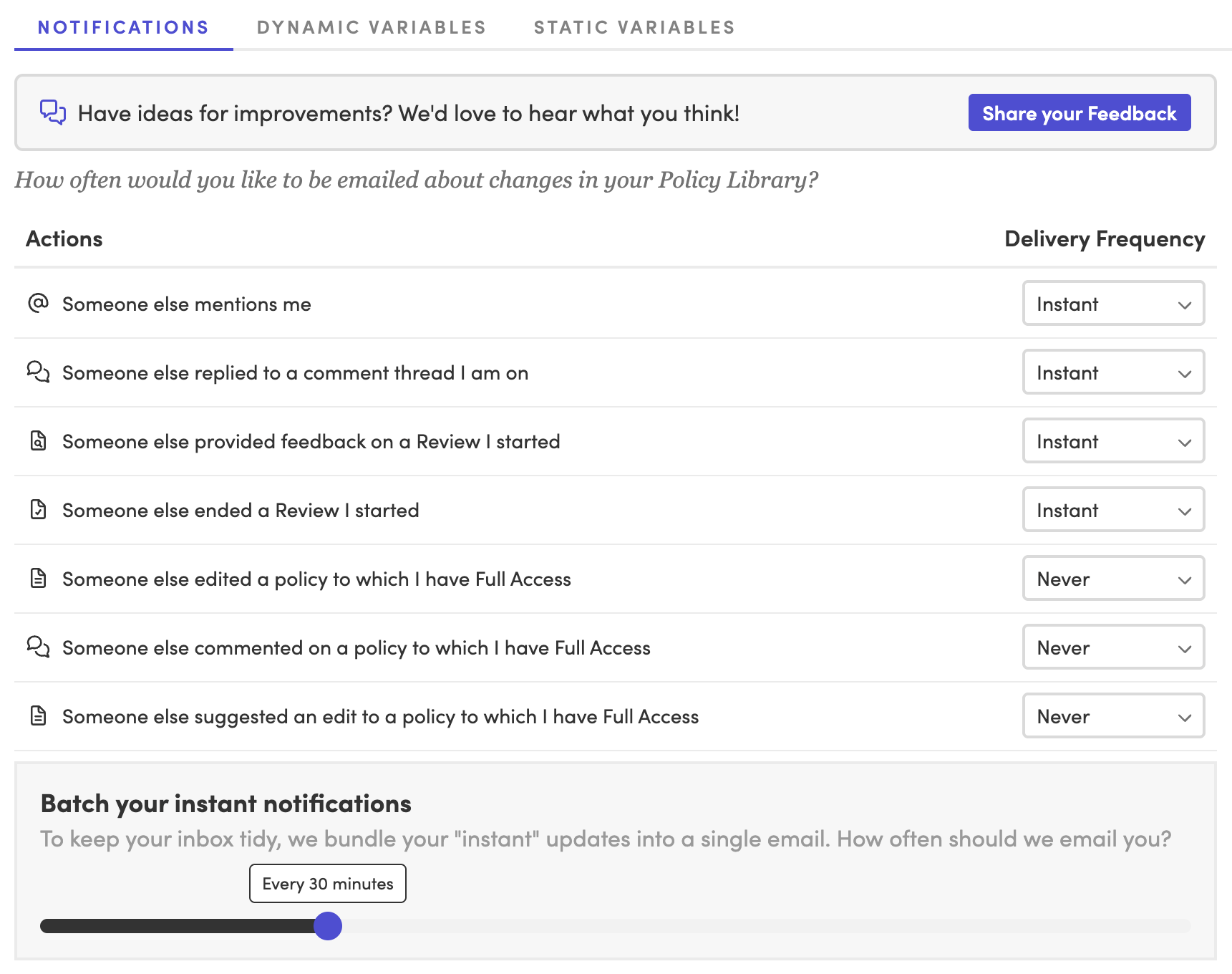
Nudges on autopilot
Reviewers get a weekly reminder of what's waiting on them.
A Monday digest lists the policies each reviewer still has open, so the follow-ups go out without you writing them (your inbox will notice). Built-in library views show what's awaiting your review, what you've asked others to review and everything currently in review, so the next person to nudge is easy to spot.
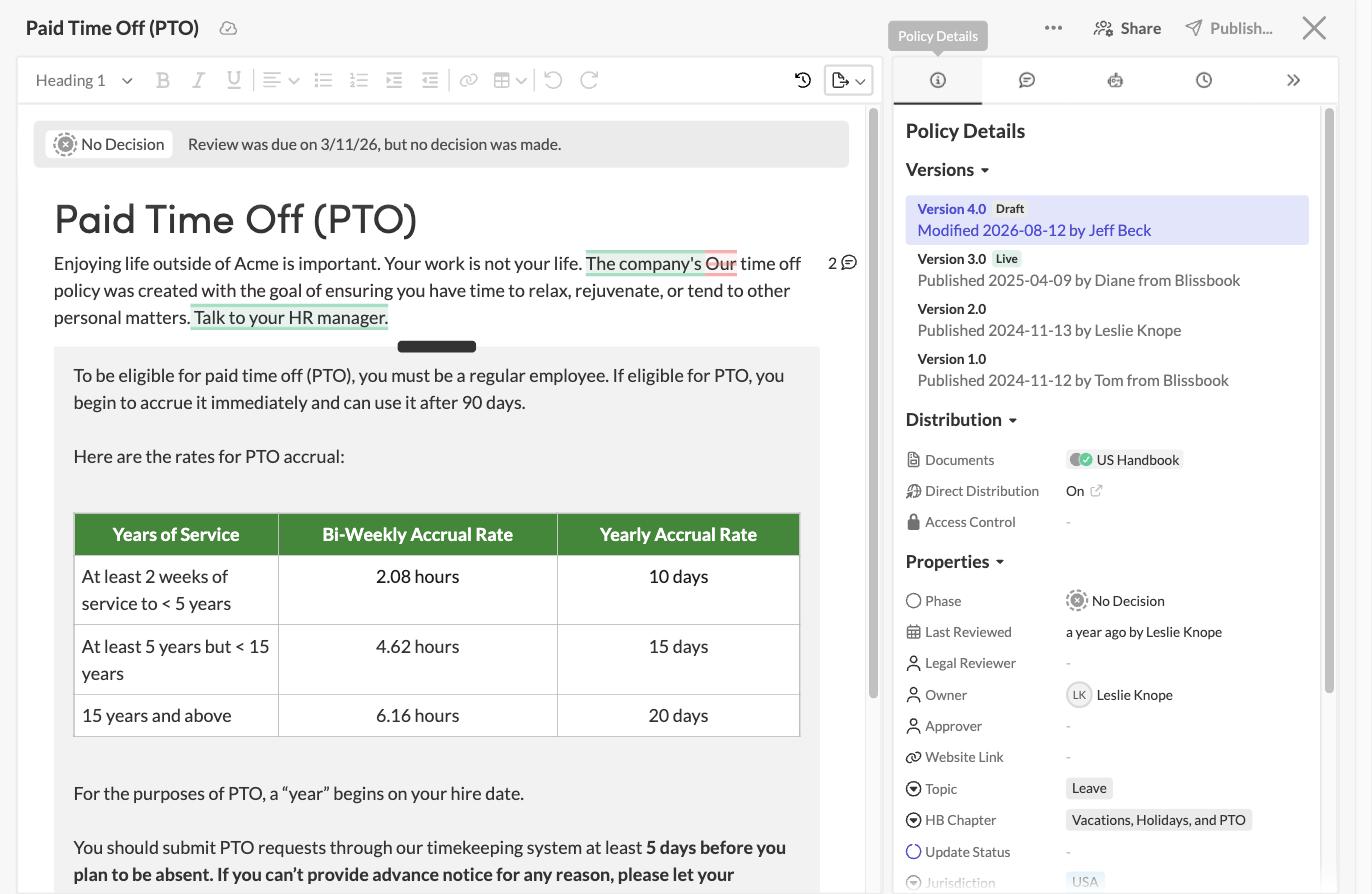
Same time next year
Policies come back for review on the schedule you set.
Set each policy to expire on a date that fits, like every January 1, and name who's responsible for renewing it. When the date arrives, the policy is flagged in your library and that person gets a reminder every week until it's renewed. Annual reviews happen on time, and nobody has to remember them.

Your library, your way
See what's in review, what's approved and what's coming due.
Add your own properties to each policy, like owner, approver or jurisdiction, then filter the library by them or by review stage. Save views such as "Everything in legal review" for yourself or the whole team. Your Monday status check starts from one shared view that everyone on the team reads the same way.
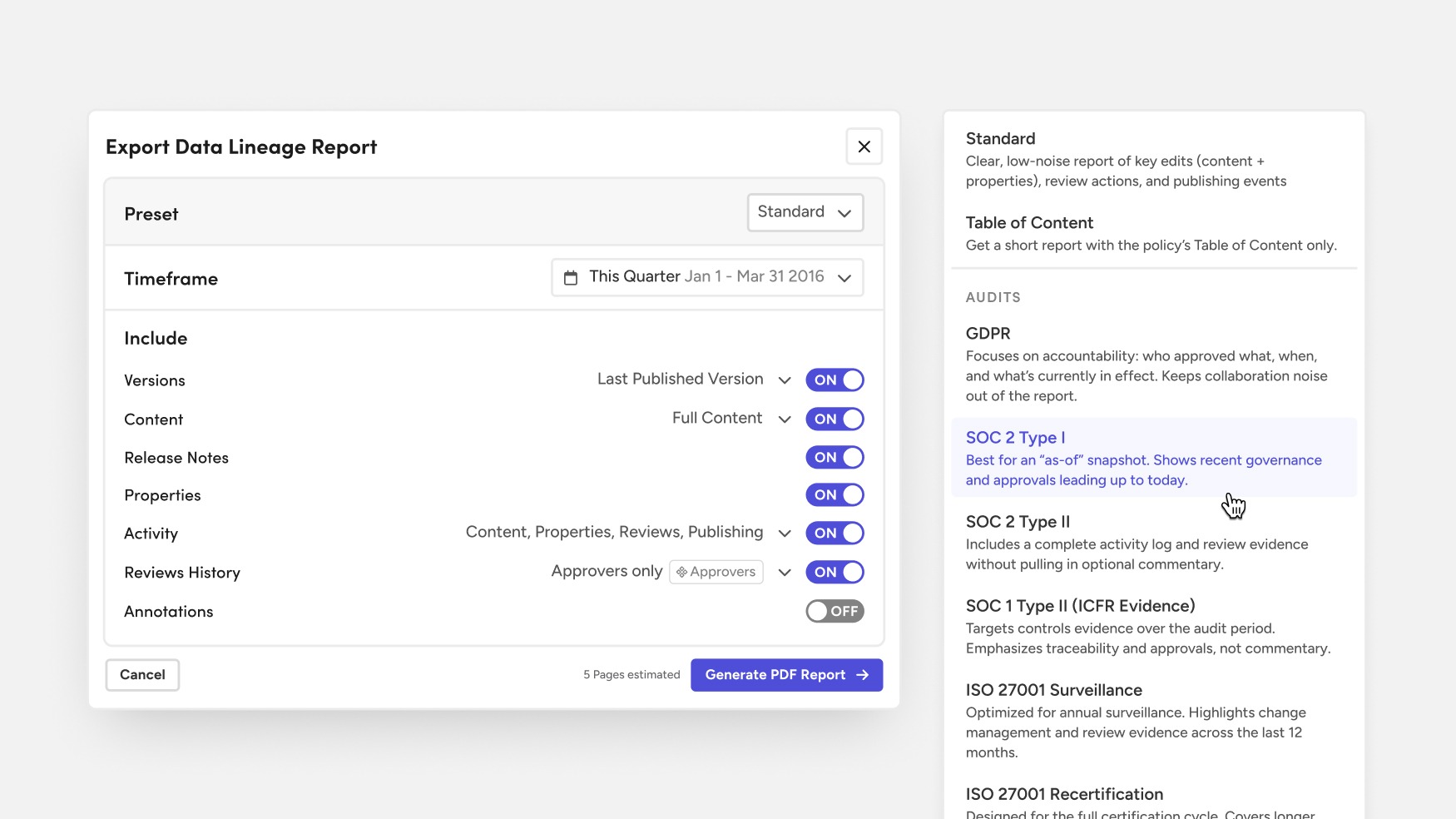
Audit-ready, on request
Hand your auditor a policy's full history in one PDF.
Data Lineage Reports pull a policy's versions, reviews, approvals and activity into one PDF for any time period you choose. Presets for SOC 2, ISO 27001 and other common audits fill in the settings, and one export can cover many policies at once. The report sits alongside the rest of your compliance records, ready when the request comes in.
Blissbook has transformed how we manage and communicate our employee handbook and mandatory acknowledgments... we've surpassed our Handbook Campaign goals in both timeliness and completion rates.
 Jill Wolfe, HR Compliance, Shutterfly
The process to collect and audit employee signatures (now electronically!) has never been easier. A major improvement and advancement for employee handbooks!
 Amy Turner, HR Operations, Cengage
We love how easy it is to update content, communicate changes with employees, and report on acknowledgements. We couldn't be happier!
 Mystel Duke, SVP HR, SWBC
Blissbook has been an outstanding partner that helped us turn 150+ handbooks into 1 - our first electronic handbook.
 Kris Cegielski, HR Business Partner, Ashley Furniture
We love how easy it is to update our Team Member Handbook and the annotations feature really simplifies communicating changes with employees.
 Concetta Lewis, People Development, Daxko
We're so glad we decided to work with Blissbook when we replaced our PDF handbook. Yes, the product is great. More importantly, when we need help, they make us feel like we're their only customer.
 Keesha-Ann Murphy, Human Capital Generalist, Russell Reynolds Associates
The result of this hard work is a beautiful global handbook we are so proud of and that is very Slalom.
 Mel Murphy, Policy & Compliance Program Manager, Slalom
Everything you need for policy review and approval
- Reviews with due dates and instructions
- One-approver or everyone-approves rules
- Reusable named reviews
- Comments and suggested edits
- Approve or request changes
- Live review status on every policy
- Weekly reviewer reminders
- Automatic policy expiration
- Custom properties and saved views
- Version history and release notes
- Data Lineage Reports with audit presets
- Real-time co-editing
Frequently
Asked
Questions.
Ready to put every approval on record?
Getting started
What happens after you request a demo
- 1
A customized walkthrough
We schedule a call and cover what you care about, from the first signature round to the report at the end.
- 2
Easy to use from day one
Blissbook is straightforward to run, so your team gets going quickly without a heavy learning curve.
- 3
Customer success by your side
We'll help with setup, content migration, and design, so your first signature round works like a charm.