
Breaking (policy) news
Communicate policy changes in the policies themselves.
Employees understand what changed and why in a single read, so questions ease up, and signed acknowledgements come back quickly.
Sounds good?Request a Demo
Companies large and small trust Blissbook.


Right on the page
Employees see what changed and why.
With Blissbook, you communicate policy changes inside your handbook by attaching a short note to the exact text that changed. Employees read your explanation while they're reading the updated policy, then sign the handbook right there.
Measurable impact
Fewer admin hours. Compliance goals: met.
Signatures Collected
Employee handbook (and related) signatures collected.
Signed in 90 Days
If 2 or more reminders are sent to signers at any time.
Audit Readiness
Time-stamped signature records tied to the exact policies viewed.
Spot the difference
Your whole policy update happens inside the handbook.
Each row follows one step of a policy update, from explaining the change to showing who signed.


How Blissbook communicates policy changes.
Sticky note energy
You decide which changes get a note, and what it says.
Change annotations work like digital sticky notes, and every one is yours to write. Add a note while you edit or as you publish, on a changed section of a document or a single sentence in a policy. Employees only ever see the explanations you chose to share, which keeps your policy communication fully in your hands.
New to you
Each employee sees only what's new to them.
Someone who last opened the handbook two years ago sees every note added since that visit. A new hire sees none, because their handbook already includes those changes. At signing, employees review everything new since they last signed, and signing clears the notes away. One set of notes covers your whole team, however long each person has been away.
Signed, sealed, delivered
Every signature goes on the handbook itself.
When a change needs a fresh acknowledgement, start a new signature round for everyone or only the people it affects. Employees review the notes, sign the handbook, and you keep one record of what each person agreed to. The record includes the exact content each employee could see when they signed, so "who agreed to what?" gets a quick answer.
Only what applies
State-specific changes reach only the people they affect.
A change to your California policy shows its note only to employees who can see that policy. Notes follow the same rules as your personalized handbook, so one handbook serves every state and entity. Your Texas team keeps reading without a detour through updates written for someone else, and you skip writing a separate summary for each state.
Notes to self
Keep a private record of why each policy changed.
Your editing team can save release notes on each policy version, and employees never see them. Each note sits beside the highlighted additions and deletions, so anyone can trace why a policy changed long after the details fade. Next year's audit (and your own memory) gets a lot kinder, with the whole story in your policy management software.
Read receipts
See who was notified, who viewed, and who signed.
The Reporting Center tracks each step of an update for every employee and every document, with the date of each one. Filter by group, hire date, or compliance status, then export the list or bring it to your next leadership meeting. You'll know how a policy update went before anyone thinks to ask.
Reasons included
Show employees the thinking behind a change.
A note can explain why a policy changed, which matters most when people feel they're losing something, like a shorter PTO carryover window. Employees read it on any device, inside a handbook with your logo and colors, in the voice you'd use in person. Changes become a conversation with your team (with fewer surprised messages to HR).
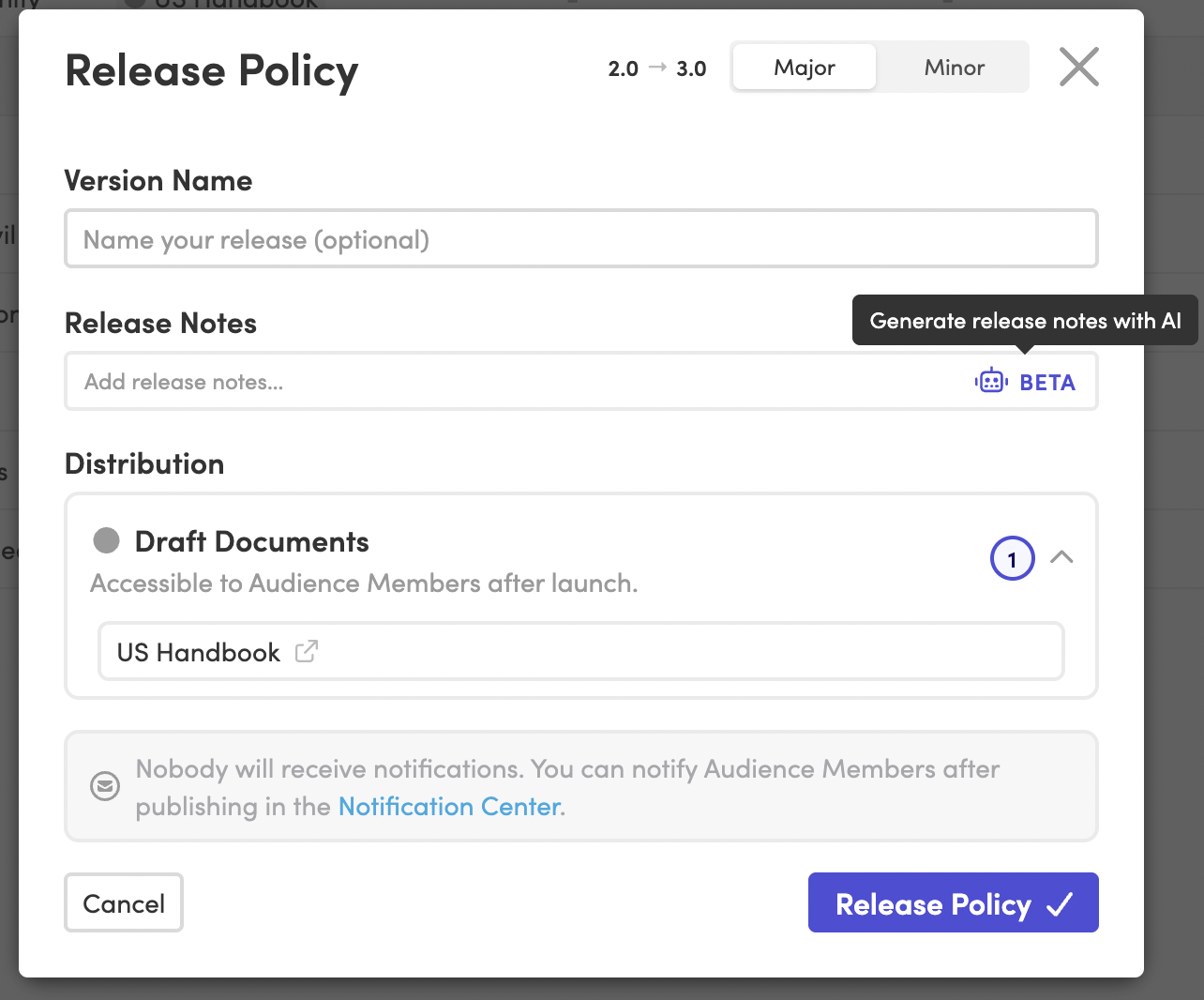
Sticky note energy
You decide which changes get a note, and what it says.
Change annotations work like digital sticky notes, and every one is yours to write. Add a note while you edit or as you publish, on a changed section of a document or a single sentence in a policy. Employees only ever see the explanations you chose to share, which keeps your policy communication fully in your hands.
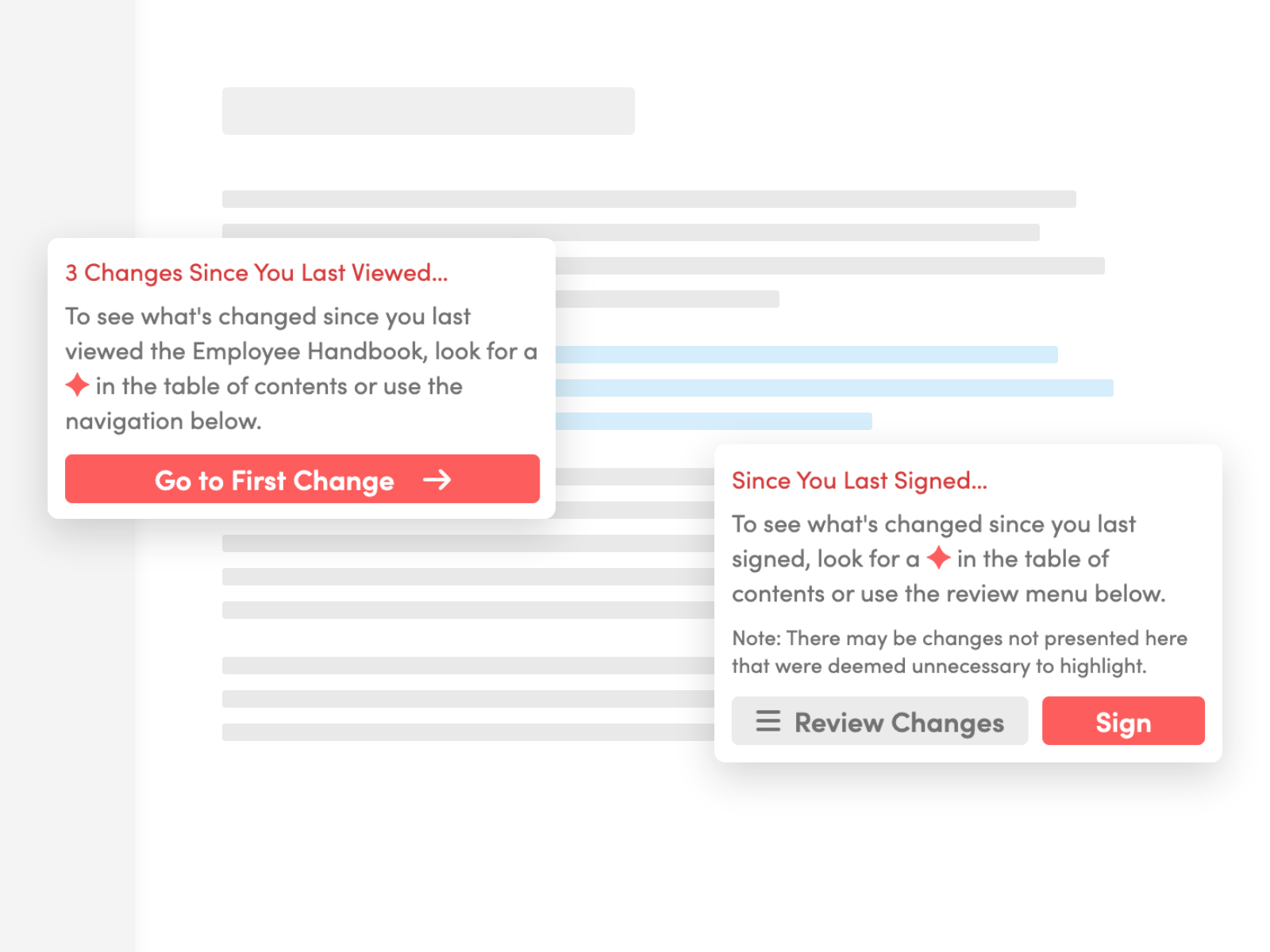
New to you
Each employee sees only what's new to them.
Someone who last opened the handbook two years ago sees every note added since that visit. A new hire sees none, because their handbook already includes those changes. At signing, employees review everything new since they last signed, and signing clears the notes away. One set of notes covers your whole team, however long each person has been away.
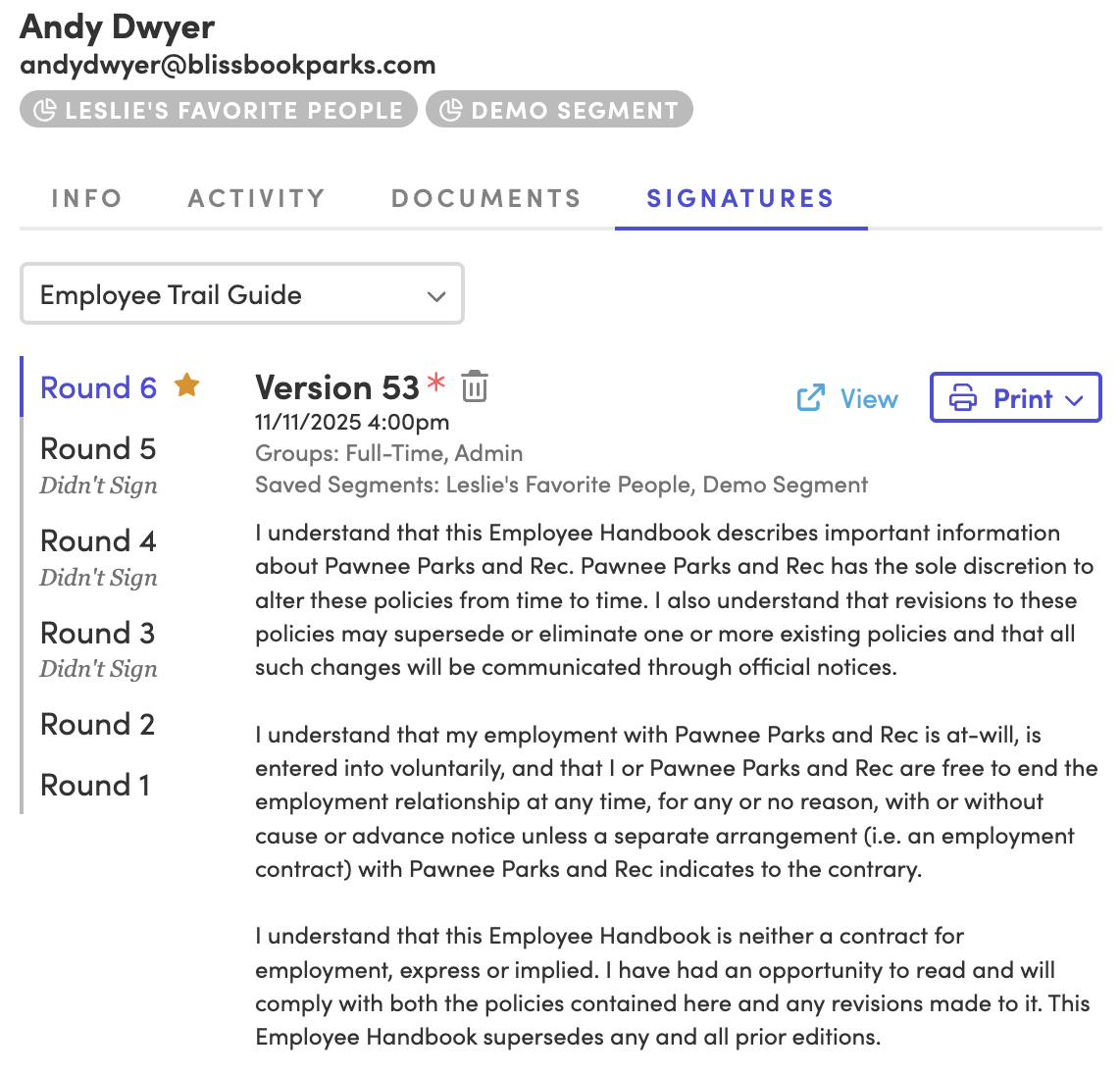
Signed, sealed, delivered
Every signature goes on the handbook itself.
When a change needs a fresh acknowledgement, start a new signature round for everyone or only the people it affects. Employees review the notes, sign the handbook, and you keep one record of what each person agreed to. The record includes the exact content each employee could see when they signed, so "who agreed to what?" gets a quick answer.
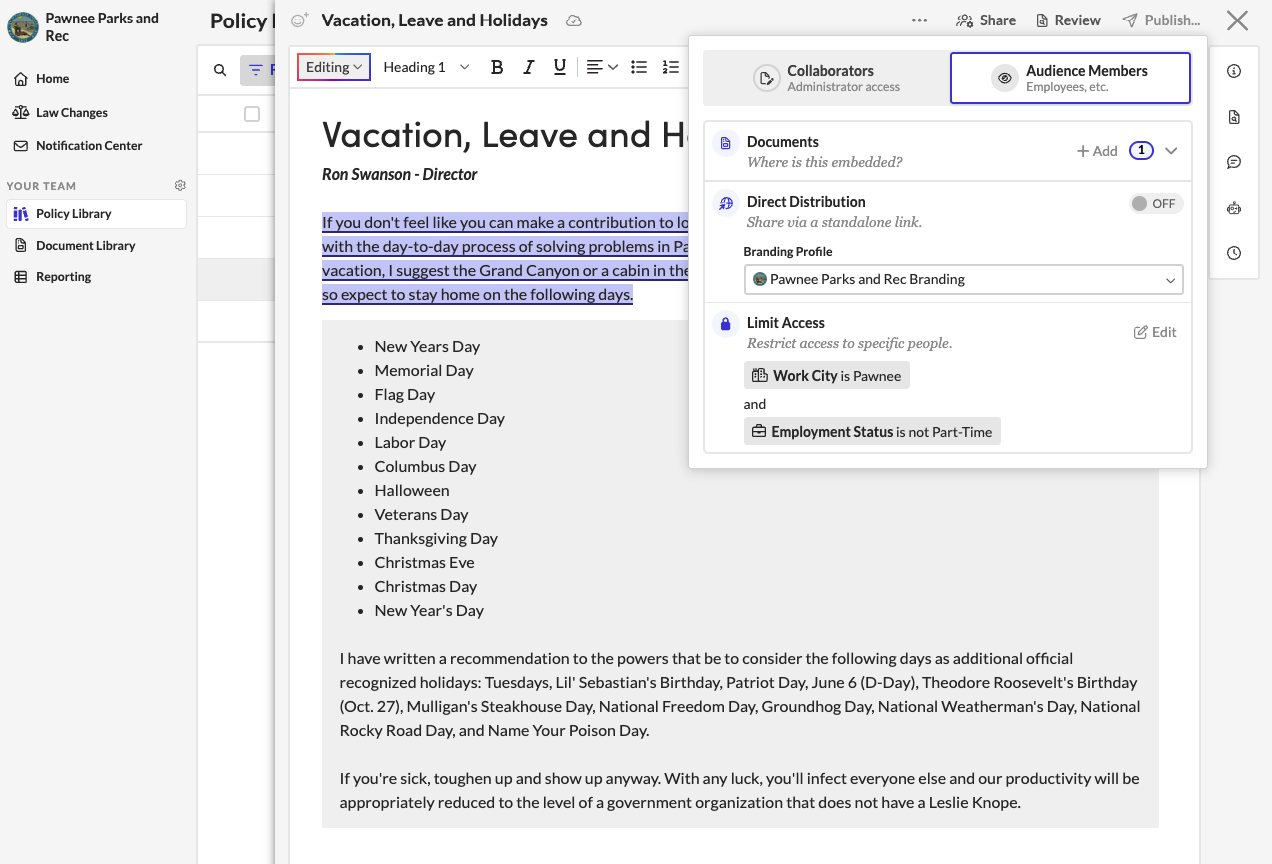
Only what applies
State-specific changes reach only the people they affect.
A change to your California policy shows its note only to employees who can see that policy. Notes follow the same rules as your personalized handbook, so one handbook serves every state and entity. Your Texas team keeps reading without a detour through updates written for someone else, and you skip writing a separate summary for each state.
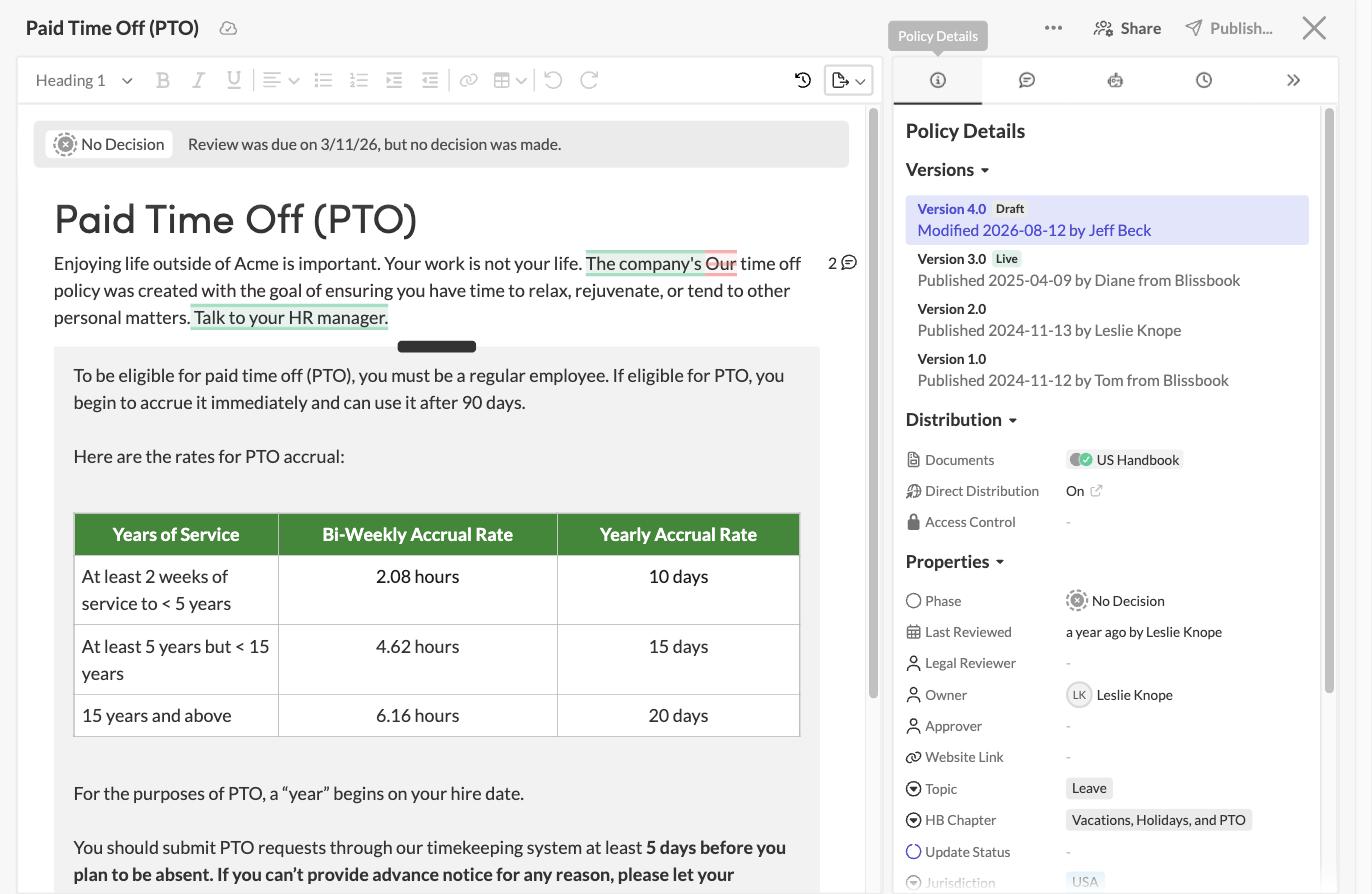
Notes to self
Keep a private record of why each policy changed.
Your editing team can save release notes on each policy version, and employees never see them. Each note sits beside the highlighted additions and deletions, so anyone can trace why a policy changed long after the details fade. Next year's audit (and your own memory) gets a lot kinder, with the whole story in your policy management software.
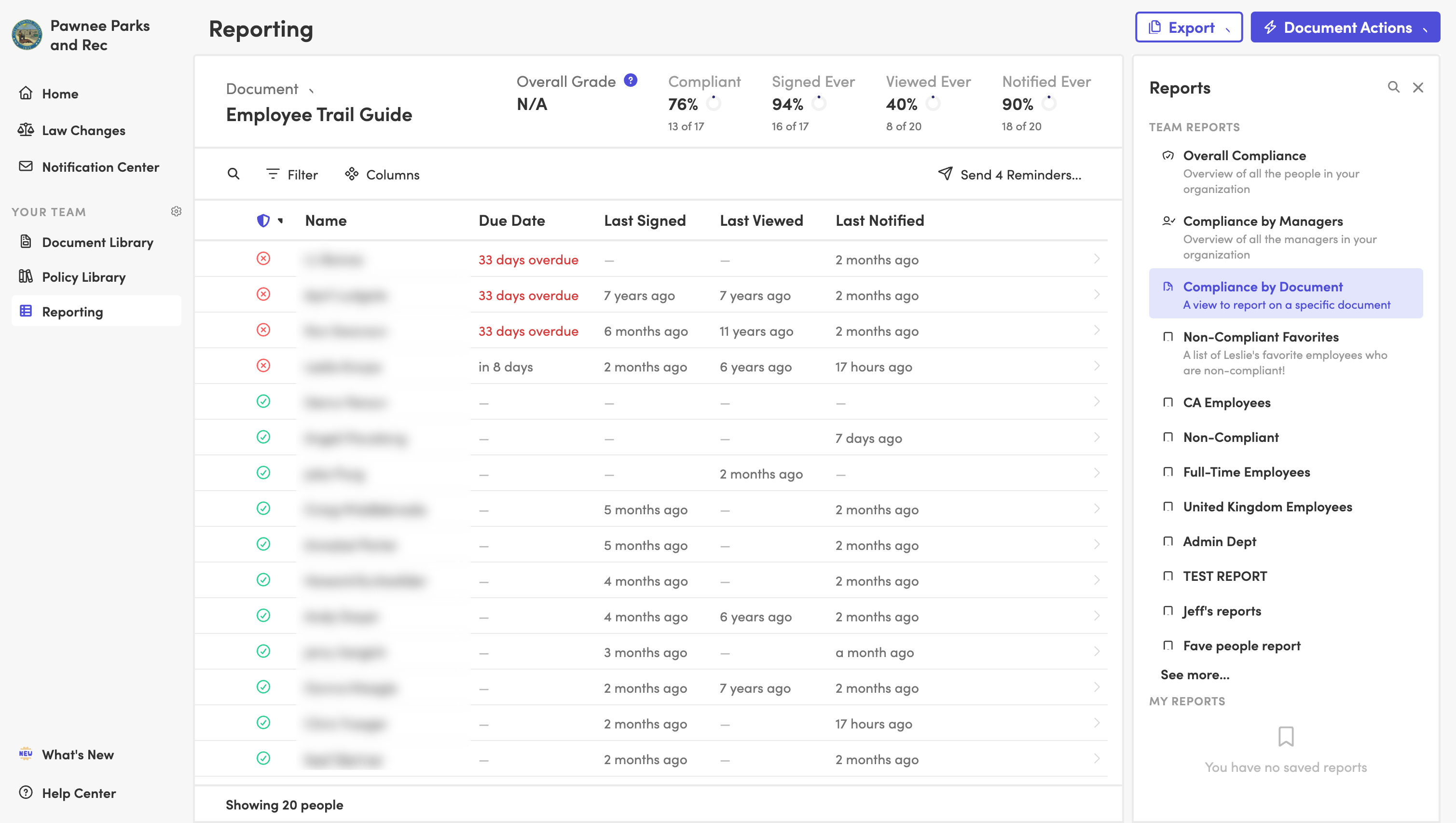
Read receipts
See who was notified, who viewed, and who signed.
The Reporting Center tracks each step of an update for every employee and every document, with the date of each one. Filter by group, hire date, or compliance status, then export the list or bring it to your next leadership meeting. You'll know how a policy update went before anyone thinks to ask.
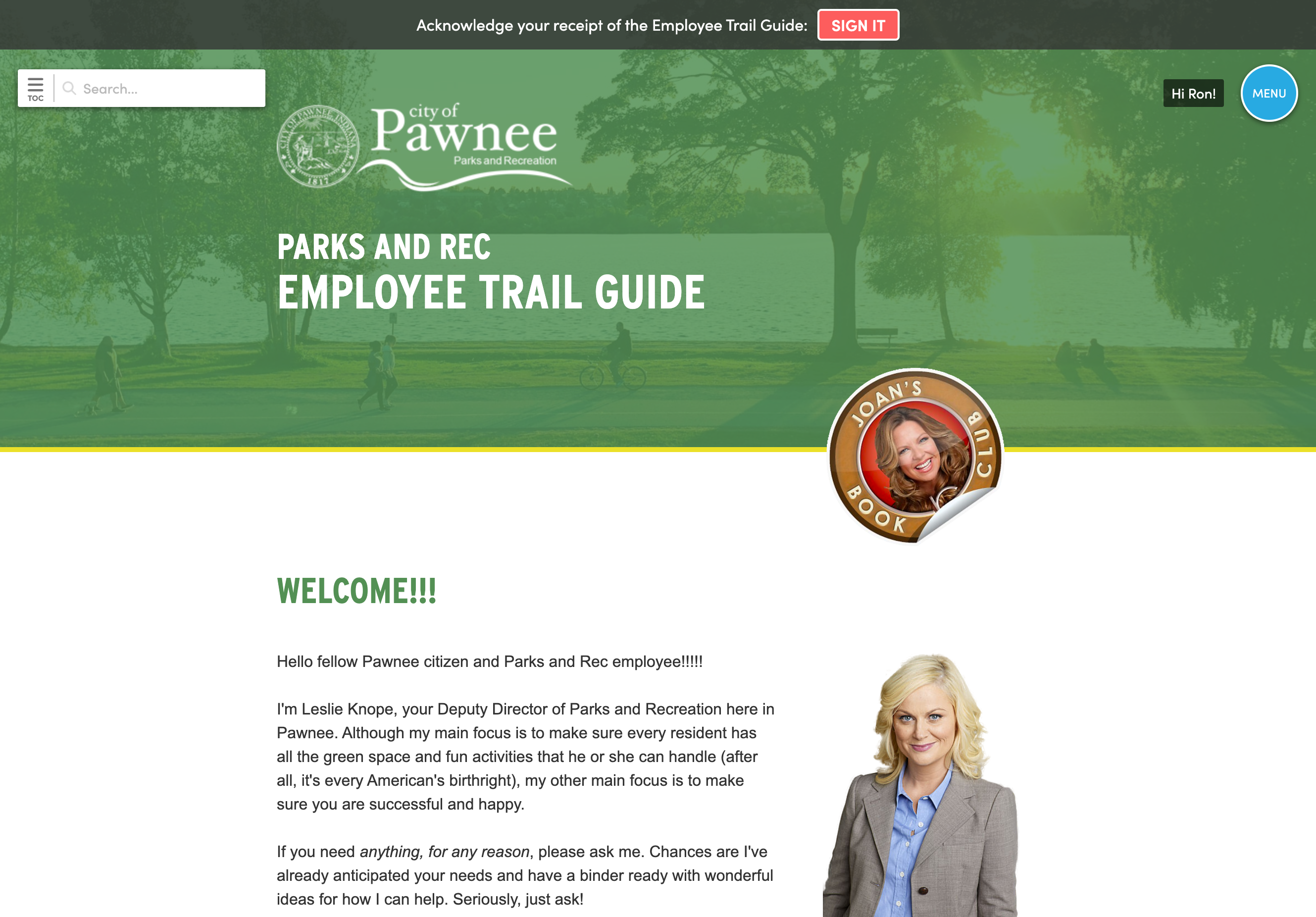
Reasons included
Show employees the thinking behind a change.
A note can explain why a policy changed, which matters most when people feel they're losing something, like a shorter PTO carryover window. Employees read it on any device, inside a handbook with your logo and colors, in the voice you'd use in person. Changes become a conversation with your team (with fewer surprised messages to HR).
Blissbook has transformed how we manage and communicate our employee handbook and mandatory acknowledgments... we've surpassed our Handbook Campaign goals in both timeliness and completion rates.
 Jill Wolfe, HR Compliance, Shutterfly
The process to collect and audit employee signatures (now electronically!) has never been easier. A major improvement and advancement for employee handbooks!
 Amy Turner, HR Operations, Cengage
We love how easy it is to update content, communicate changes with employees, and report on acknowledgements. We couldn't be happier!
 Mystel Duke, SVP HR, SWBC
Blissbook has been an outstanding partner that helped us turn 150+ handbooks into 1 - our first electronic handbook.
 Kris Cegielski, HR Business Partner, Ashley Furniture
We love how easy it is to update our Team Member Handbook and the annotations feature really simplifies communicating changes with employees.
 Concetta Lewis, People Development, Daxko
We're so glad we decided to work with Blissbook when we replaced our PDF handbook. Yes, the product is great. More importantly, when we need help, they make us feel like we're their only customer.
 Keesha-Ann Murphy, Human Capital Generalist, Russell Reynolds Associates
The result of this hard work is a beautiful global handbook we are so proud of and that is very Slalom.
 Mel Murphy, Policy & Compliance Program Manager, Slalom
Everything you need to communicate policy changes
- Change notes beside updated text
- Notes tailored to each employee
- Personalized content by group
- Change notification emails
- New signature rounds
- Signatures on the handbook itself
- Private release notes for editors
- Version history with highlighted changes
- Edit history with names and dates
- Reporting Center with CSV exports
- Automated reminders
Questions
HR teams
ask.
Ready to retire the summary email?
Getting started
What happens after you request a demo
- 1
A customized walkthrough
We schedule a call and cover what you care about, from the first signature round to the report at the end.
- 2
Easy to use from day one
Blissbook is straightforward to run, so your team gets going quickly without a heavy learning curve.
- 3
Customer success by your side
We'll help with setup, content migration, and design, so your first signature round works like a charm.