
Always within reach
Share your employee handbook online with one secure link.
Everyone on your team always has the latest handbook and policies, on every device. And because it looks and feels like your company, your handbook reads like part of the culture you're building.
Sounds good?Request a Demo
Companies large and small trust Blissbook.


Open 24/7
Give your handbook an online home.
Blissbook turns your handbook into an online, branded experience employees can read without downloading a file. Share one link with your team, keep the latest published version in one place, and make policies easy to find when someone needs an answer at 11pm on a Tuesday night.
Measurable impact
Fewer admin hours. Compliance goals: met.
Signatures Collected
Employee handbook (and related) signatures collected.
Signed in 90 Days
If 2 or more reminders are sent to signers at any time.
Audit Readiness
Time-stamped signature records tied to the exact policies viewed.
Spot the difference
Everything employees need sits behind one link.
Your employees get one current, searchable handbook, and you get a clear record of who's read and signed it.


How Blissbook shares your handbook online.
Easy access
Give employees a handbook they can actually find.
Employees open the handbook from any phone or laptop, search for the policy they need, and get to the answer, even if it's tucked behind a "read more" button. The menu, search, and signing all sit within thumb's reach on a small screen. With employee handbook software built for phones, policy questions have somewhere sensible to go (even from the break room).
Always the latest
Keep the latest handbook in front of everyone.
Every update you publish shows up at the same link employees already use, and readers only ever see the newest version. Draft work stays out of view until you're ready. Behind the scenes, you keep every earlier version on file, along with the exact version each person viewed or signed.
A little more you
Your handbook wears your brand.
Your logo, colors, and fonts carry through every page, with room for your mission and values right next to the rules. Employees read policies in a space that feels like your company, which says a lot about the culture you're building. With a branded employee handbook, the first thing a new hire reads sounds like the company they just joined.
Georgia on their mind
Show each employee the policies that apply to them.
Your Georgia employees see the Georgia policies, and your Colorado team sees theirs. You limit any chapter, section, or block of text to the groups and employee details you already sync from your HRIS. A personalized handbook means one document for you to maintain, while every reader gets only what applies to them.
No list babysitting
Handbook access follows your employee list.
A new hire gets the handbook invitation without you sending it, because your HRIS already told Blissbook they started. A daily sync with 80+ HRIS, payroll, and directory platforms adds new people to the right handbooks and removes access when someone leaves. You stop keeping a second employee list by hand (one spreadsheet fewer is always a win).
Get to 100%
Signatures and reminders run on their own.
Employees sign right inside the handbook with electronic signatures, and automated reminders reach people in the apps they already check, on the schedule you set, with managers copied when you want backup. When leadership asks where things stand, the Reporting Center shows who's signed by employee, document, or manager. Your next status update takes a couple of clicks.
But wait, there's more
Your code of conduct and SOPs can live here too.
Your code of conduct, individual policies, and SOPs can each get their own branding, audience, and link. Employees see everything they can access on one dashboard, with a "Signature Required" badge on anything waiting for them, and one search covers all of it. Your team gets a single home for every document employees need to read.
IT will sign off
Your handbook stays private to the people you choose.
Putting the handbook online raises fair questions from IT, and these are the answers they'll look for:
- SOC 2 audited
- Encrypted with HTTPS and TLS 1.2+
- SSO with Microsoft Entra ID, Google, Okta, Rippling, and SAML
- Private access for the employees you choose
- Public links that search engines don't index
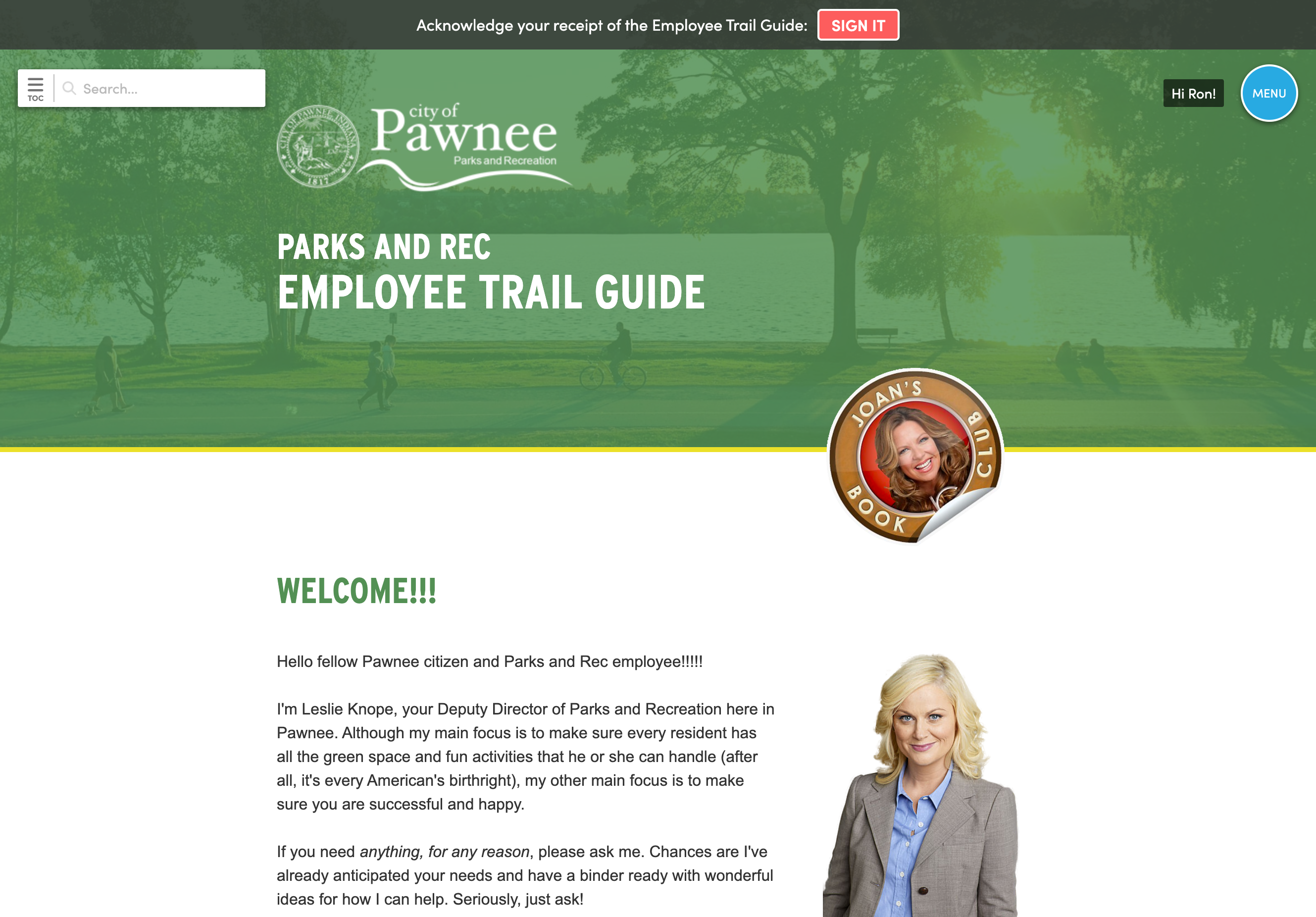
Easy access
Give employees a handbook they can actually find.
Employees open the handbook from any phone or laptop, search for the policy they need, and get to the answer, even if it's tucked behind a "read more" button. The menu, search, and signing all sit within thumb's reach on a small screen. With employee handbook software built for phones, policy questions have somewhere sensible to go (even from the break room).
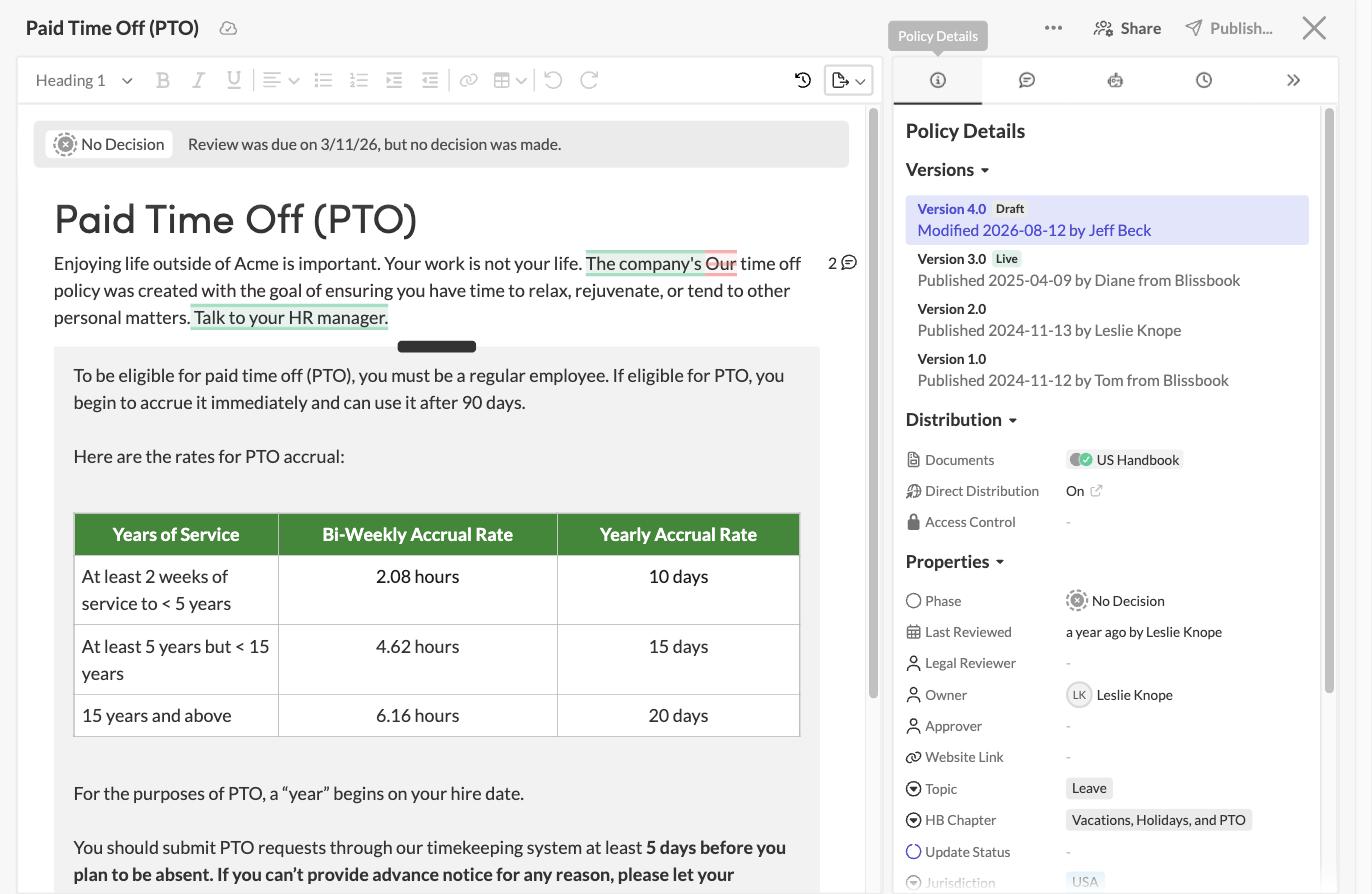
Always the latest
Keep the latest handbook in front of everyone.
Every update you publish shows up at the same link employees already use, and readers only ever see the newest version. Draft work stays out of view until you're ready. Behind the scenes, you keep every earlier version on file, along with the exact version each person viewed or signed.
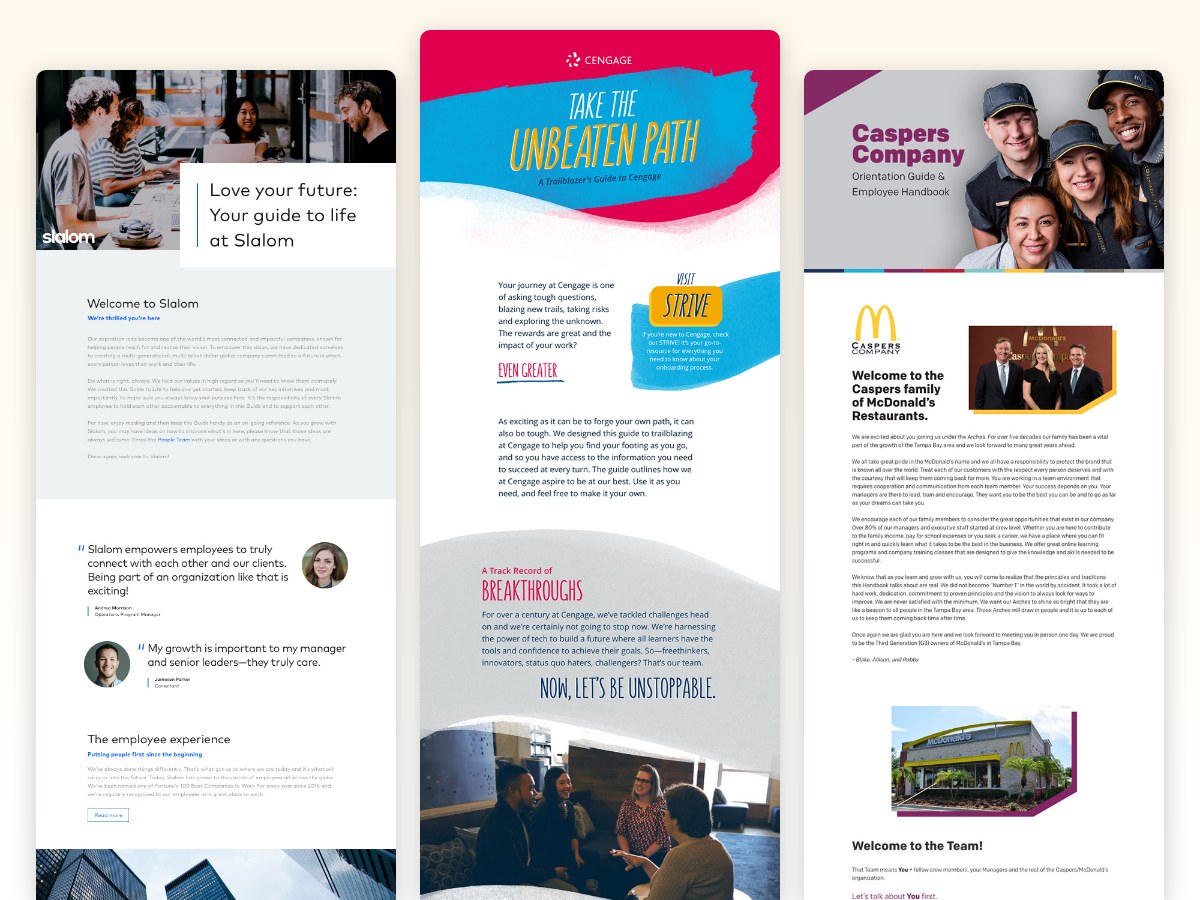
A little more you
Your handbook wears your brand.
Your logo, colors, and fonts carry through every page, with room for your mission and values right next to the rules. Employees read policies in a space that feels like your company, which says a lot about the culture you're building. With a branded employee handbook, the first thing a new hire reads sounds like the company they just joined.
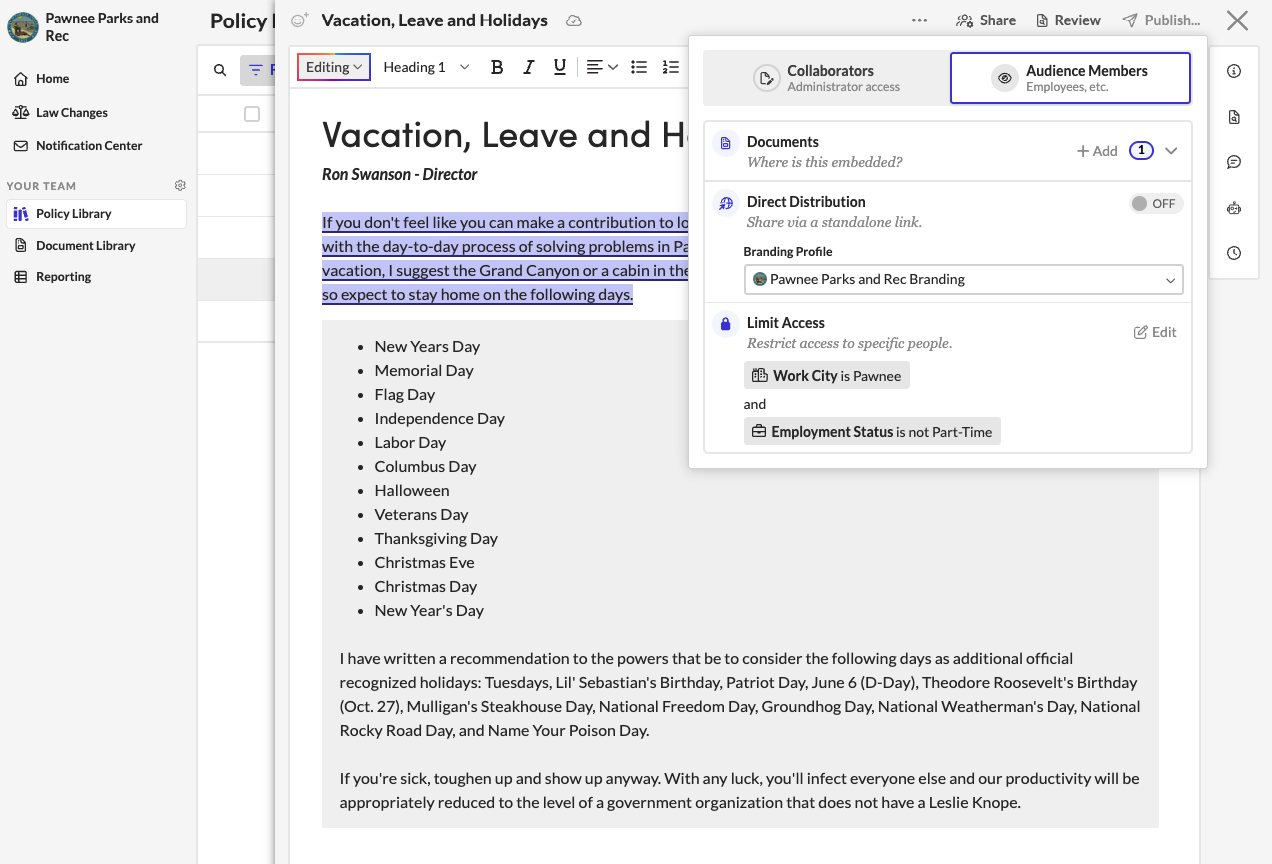
Georgia on their mind
Show each employee the policies that apply to them.
Your Georgia employees see the Georgia policies, and your Colorado team sees theirs. You limit any chapter, section, or block of text to the groups and employee details you already sync from your HRIS. A personalized handbook means one document for you to maintain, while every reader gets only what applies to them.
No list babysitting
Handbook access follows your employee list.
A new hire gets the handbook invitation without you sending it, because your HRIS already told Blissbook they started. A daily sync with 80+ HRIS, payroll, and directory platforms adds new people to the right handbooks and removes access when someone leaves. You stop keeping a second employee list by hand (one spreadsheet fewer is always a win).
Get to 100%
Signatures and reminders run on their own.
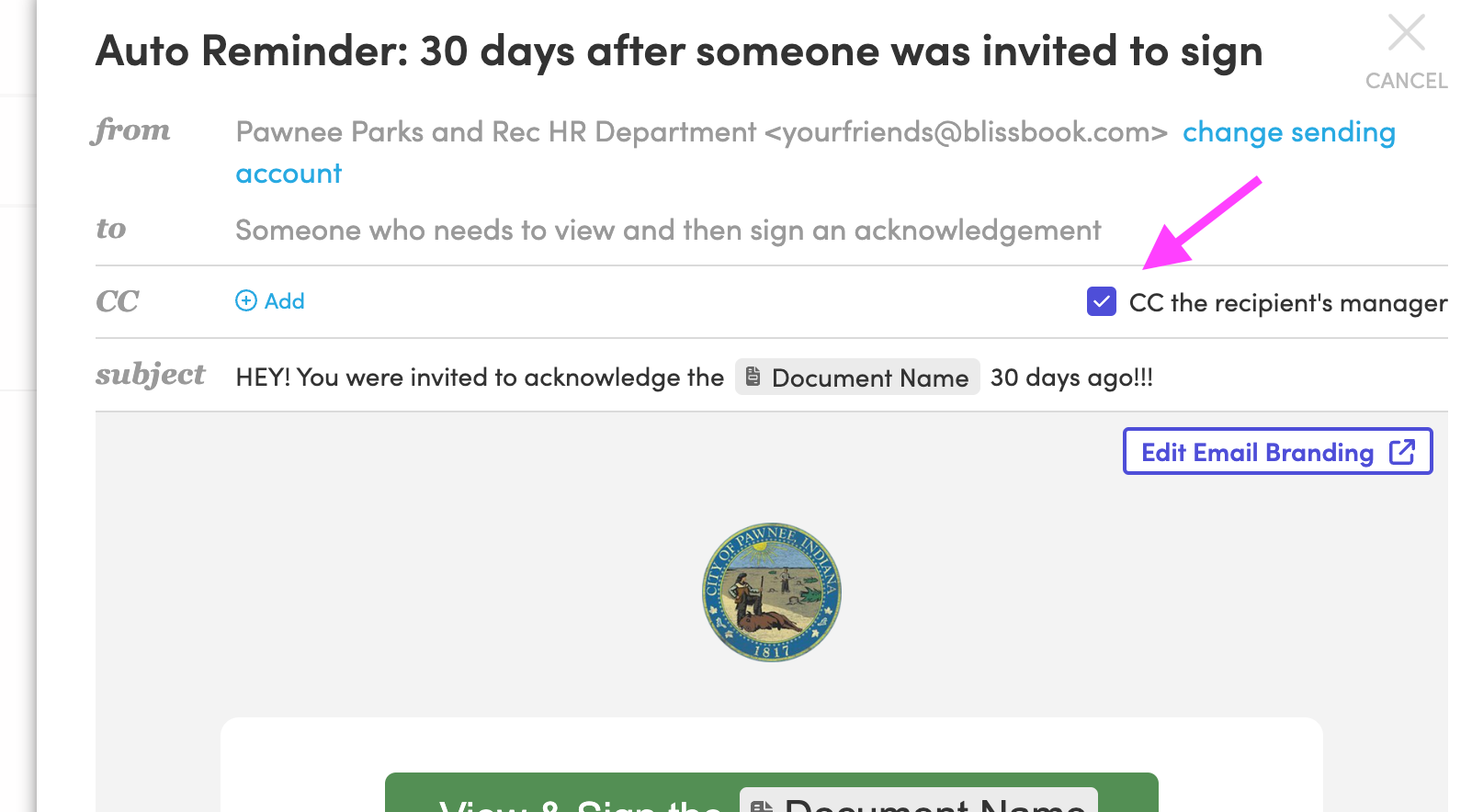
Employees sign right inside the handbook with electronic signatures, and automated reminders reach people in the apps they already check, on the schedule you set, with managers copied when you want backup. When leadership asks where things stand, the Reporting Center shows who's signed by employee, document, or manager. Your next status update takes a couple of clicks.
But wait, there's more
Your code of conduct and SOPs can live here too.
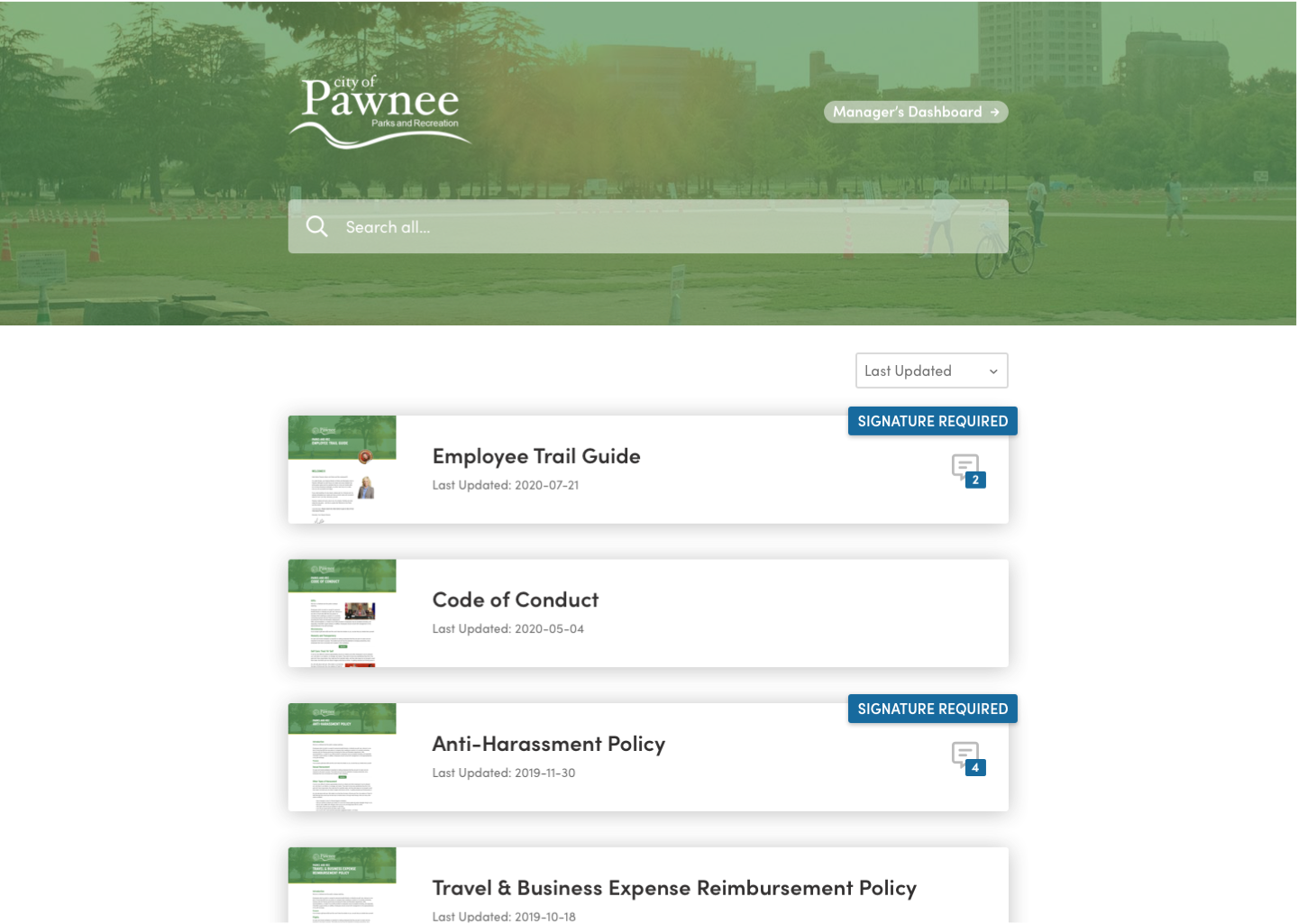
Your code of conduct, individual policies, and SOPs can each get their own branding, audience, and link. Employees see everything they can access on one dashboard, with a "Signature Required" badge on anything waiting for them, and one search covers all of it. Your team gets a single home for every document employees need to read.

IT will sign off
Your handbook stays private to the people you choose.
Putting the handbook online raises fair questions from IT, and these are the answers they'll look for:
- SOC 2 audited
- Encrypted with HTTPS and TLS 1.2+
- SSO with Microsoft Entra ID, Google, Okta, Rippling, and SAML
- Private access for the employees you choose
- Public links that search engines don't index
Blissbook has transformed how we manage and communicate our employee handbook and mandatory acknowledgments... we've surpassed our Handbook Campaign goals in both timeliness and completion rates.
 Jill Wolfe, HR Compliance, Shutterfly
The process to collect and audit employee signatures (now electronically!) has never been easier. A major improvement and advancement for employee handbooks!
 Amy Turner, HR Operations, Cengage
We love how easy it is to update content, communicate changes with employees, and report on acknowledgements. We couldn't be happier!
 Mystel Duke, SVP HR, SWBC
Blissbook has been an outstanding partner that helped us turn 150+ handbooks into 1 - our first electronic handbook.
 Kris Cegielski, HR Business Partner, Ashley Furniture
We love how easy it is to update our Team Member Handbook and the annotations feature really simplifies communicating changes with employees.
 Concetta Lewis, People Development, Daxko
We're so glad we decided to work with Blissbook when we replaced our PDF handbook. Yes, the product is great. More importantly, when we need help, they make us feel like we're their only customer.
 Keesha-Ann Murphy, Human Capital Generalist, Russell Reynolds Associates
The result of this hard work is a beautiful global handbook we are so proud of and that is very Slalom.
 Mel Murphy, Policy & Compliance Program Manager, Slalom
Everything you need for sharing your employee handbook online
- One secure link per document
- Mobile-friendly reading
- Private audience sign-in
- Optional public links
- Custom domain
- Branded themes and fonts
- Personalized content by group
- Multi-language documents
- Daily HRIS and directory sync
- Single sign-on (SSO)
- Invitations by email, Slack, Teams, or text
- Electronic signatures and reporting
Questions
HR teams
ask.
Ready to share your handbook with one link?
Getting started
What happens after you request a demo
- 1
A customized walkthrough
We schedule a call and cover what you care about, from the first signature round to the report at the end.
- 2
Easy to use from day one
Blissbook is straightforward to run, so your team gets going quickly without a heavy learning curve.
- 3
Customer success by your side
We'll help with setup, content migration, and design, so your first signature round works like a charm.