
Growing up fast
A handbook you can stand behind as you grow.
Bring your inherited handbook up to date, get leadership approval in one place, and give employees in every new state the policies the law requires.
Sounds good?Request a Demo
Companies large and small trust Blissbook.


The first HR hire
Your policies, your people, and your proof in one place.
You don't need a bigger HR team to keep your handbook current. Blissbook gives you the tools and expert help to stay compliant as you expand. Blissbook is where you bring that handbook up to date, approve changes with leadership and give each location the policies that apply.
Measurable impact
Fewer admin hours. Compliance goals: met.
Signatures Collected
Employee handbook (and related) signatures collected.
Signed in 90 Days
If 2 or more reminders are sent to signers at any time.
Audit Readiness
Time-stamped signature records tied to the exact policies viewed.
Old habits, new tricks
A handbook that keeps up as headcount climbs.
The workflows that got you this far, and what replaces them.


How Blissbook keeps up as your company grows.
Out with the old
Turn an inherited handbook into one you'd sign yourself.
Blissbook's HR experts can write your new handbook, or update the one you have, using model policies and legal guidance, in a way employees will actually read. Not sure which state policies you need? Blissbook has hundreds of model policy templates covering federal, state, county and city laws. Nothing goes live until you've reviewed and approved every word.
All hands on deck
Bring leadership approvals into the policies, not your inbox.
Your leadership team can comment, suggest edits, and sign off right where you write. Suggesting mode means no one overwrites your draft. Send a policy for review with a due date and instructions, and its status updates as each person approves or asks for changes. When the review wraps up, you know exactly who approved what, and when.
Keys to the kingdom
Decide who edits, publishes, or just reads.
Give each teammate the access they need, so the right people can draft policies, and nothing gets published by accident. Outside counsel can comment on individual policies without seeing the rest of your library. IT gets its own role for sign-in settings and the HRIS sync, and never has to touch policy content (everyone stays in their lane).
Every entity covered
Each entity's employees see the policies that apply to them.
Write one handbook and limit any chapter, section or paragraph to an entity, a location, or any field from your HRIS. Employees in California see California's leave rules, each entity sees its own benefits, and you still only edit a single copy. Preview the handbook as any employee before you publish, so you know exactly what each person will see.
Every signature in
Watch acknowledgements come in from the whole company.
Automated reminders go only to people who still need to sign, on the schedule you set, with the option to copy each person's manager. Managers check their team's status on their own dashboard and nudge anyone behind with one click. Following up stops being a one-person job, and your inbox gets a lot quieter.
Show your work
Know who's signed before leadership asks.
The Reporting Center shows who was notified, who viewed, and who signed every document, sorted by manager, group or hire date. Save the report once and export it to CSV or PDF before the leadership meeting. When the CEO asks how the rollout went, you hand over a report that already answers their follow-up questions.
Set it, forget it
New hires get the handbook automatically.
Connect one of more than 80 HRIS, payroll and directory platforms, and Blissbook syncs your employee list every day, adding new hires and removing people who leave. The same sync feeds the state, entity, and manager details behind your personalized content and reports. Employees sign in through your company's single sign-on, so there's no new password to remember.
Ready for IT
Answers ready for your security review.
Your IT and security teams get the details they ask about before they sign off.
- SOC 2 Type I and II audited
- Single sign-on with Okta, Microsoft Entra ID, Google, Rippling or any SAML 2.0 provider
- HTTPS in transit and TLS 1.2+ internally
- Backups handled by Blissbook
- Security documentation in the Blissbook Trust Center
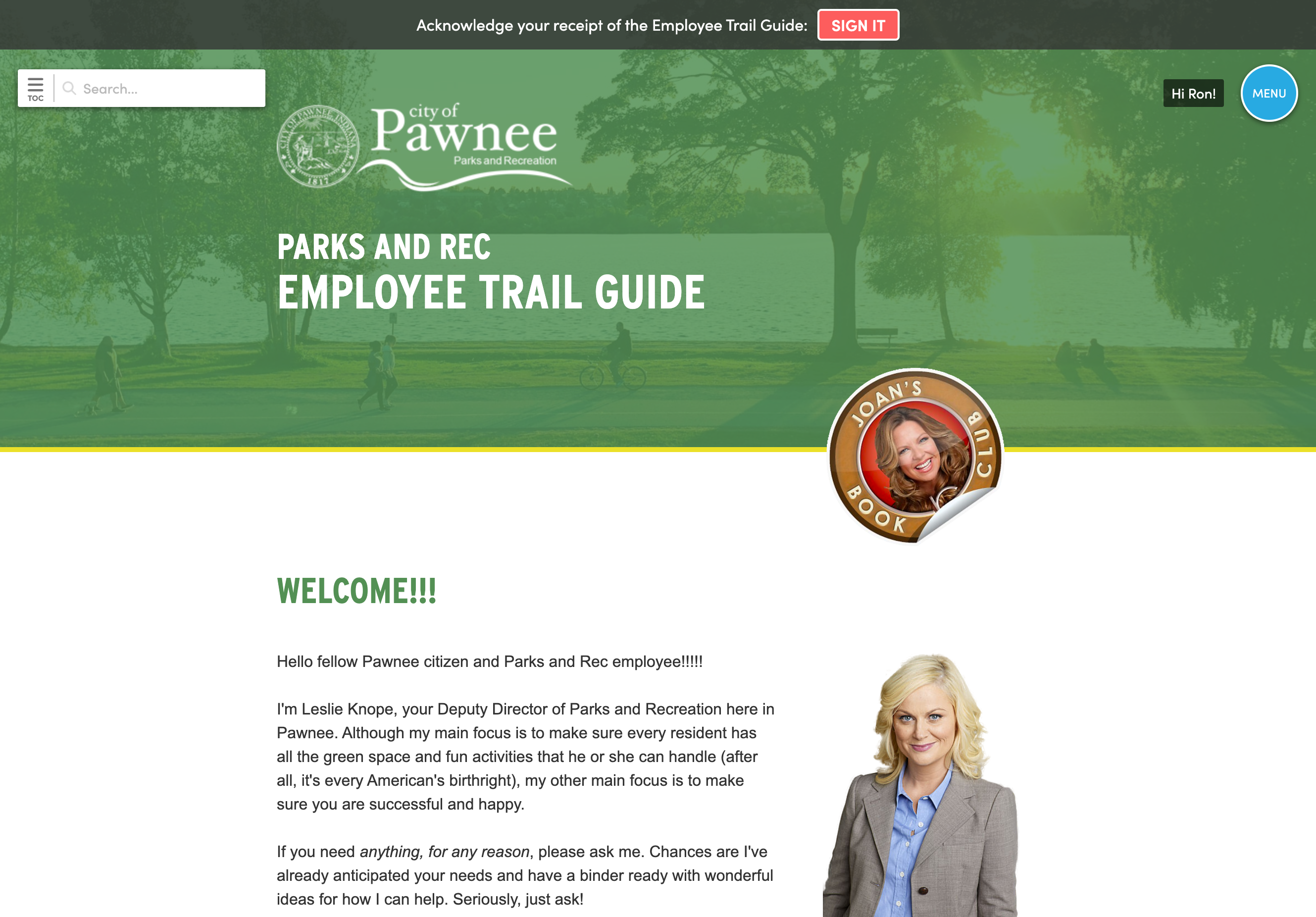
Out with the old
Turn an inherited handbook into one you'd sign yourself.
Blissbook's HR experts can write your new handbook, or update the one you have, using model policies and legal guidance, in a way employees will actually read. Not sure which state policies you need? Blissbook has hundreds of model policy templates covering federal, state, county and city laws. Nothing goes live until you've reviewed and approved every word.
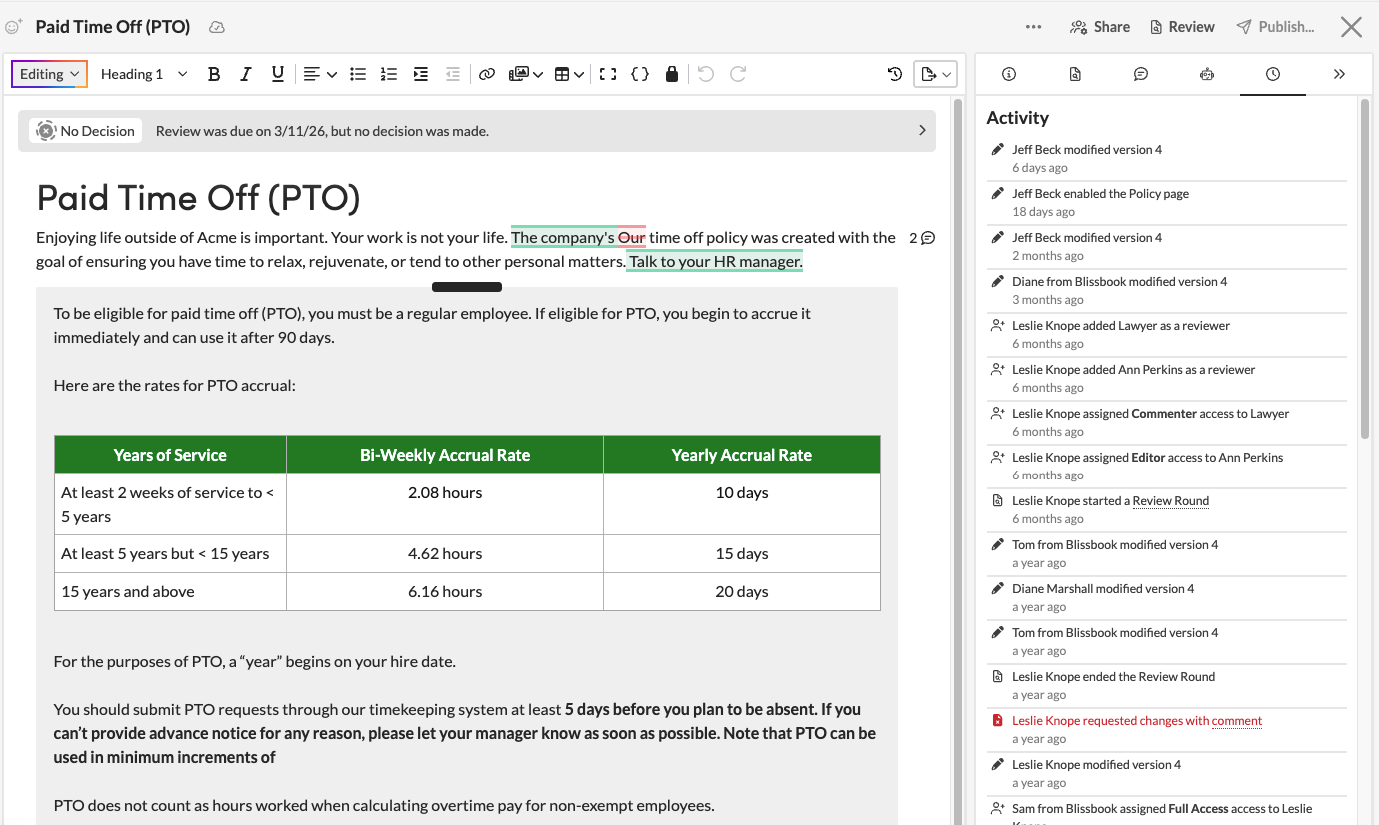
All hands on deck
Bring leadership approvals into the policies, not your inbox.
Your leadership team can comment, suggest edits, and sign off right where you write. Suggesting mode means no one overwrites your draft. Send a policy for review with a due date and instructions, and its status updates as each person approves or asks for changes. When the review wraps up, you know exactly who approved what, and when.
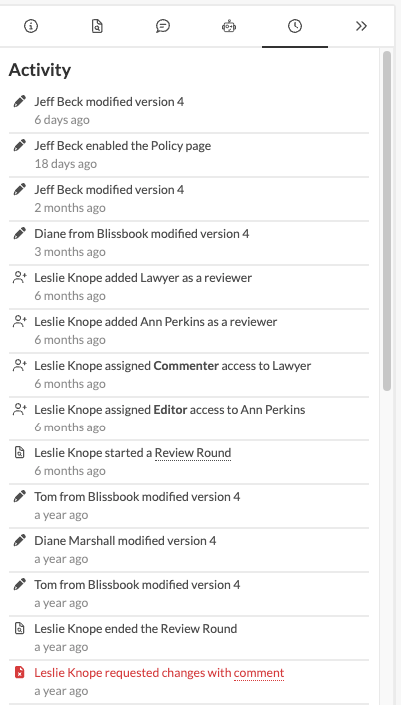
Keys to the kingdom
Decide who edits, publishes, or just reads.
Give each teammate the access they need, so the right people can draft policies, and nothing gets published by accident. Outside counsel can comment on individual policies without seeing the rest of your library. IT gets its own role for sign-in settings and the HRIS sync, and never has to touch policy content (everyone stays in their lane).
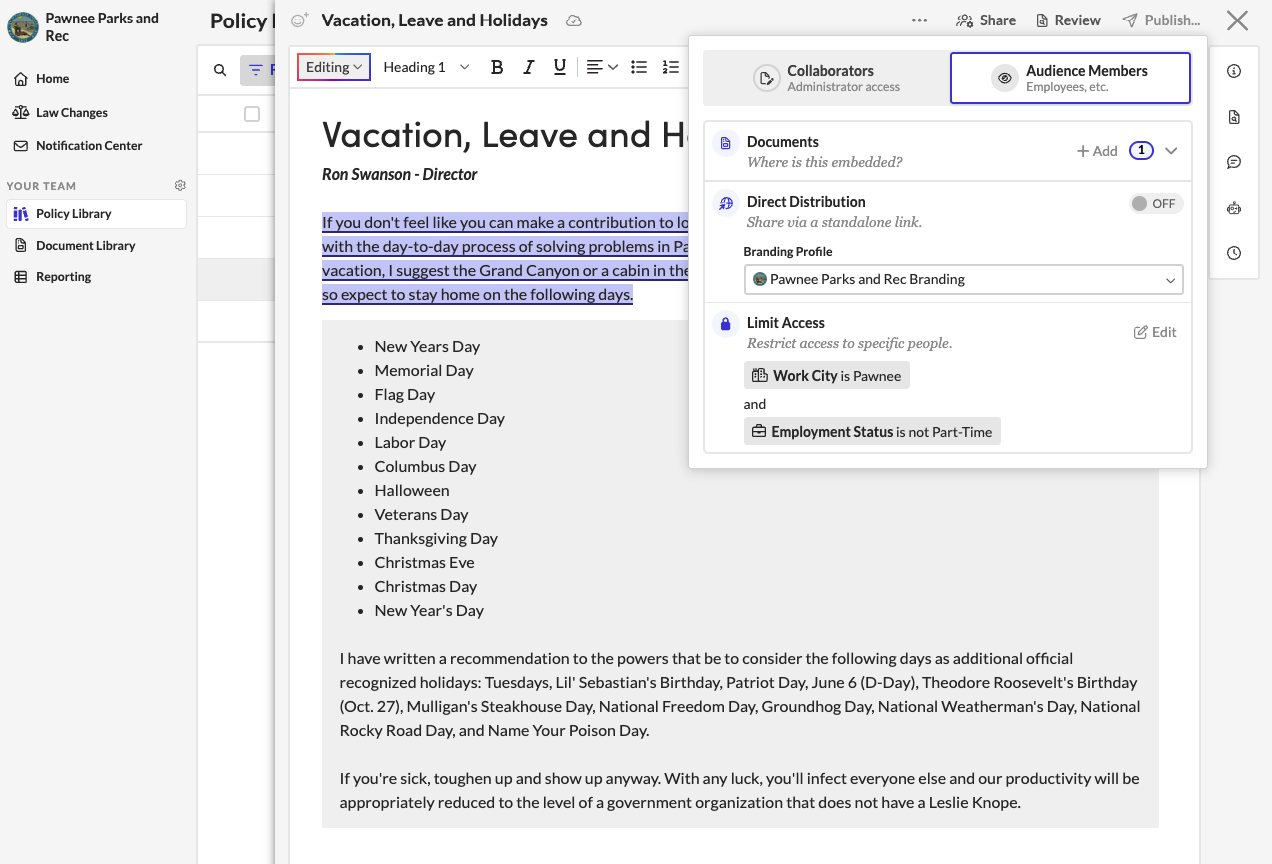
Every entity covered
Each entity's employees see the policies that apply to them.
Write one handbook and limit any chapter, section or paragraph to an entity, a location, or any field from your HRIS. Employees in California see California's leave rules, each entity sees its own benefits, and you still only edit a single copy. Preview the handbook as any employee before you publish, so you know exactly what each person will see.
Every signature in
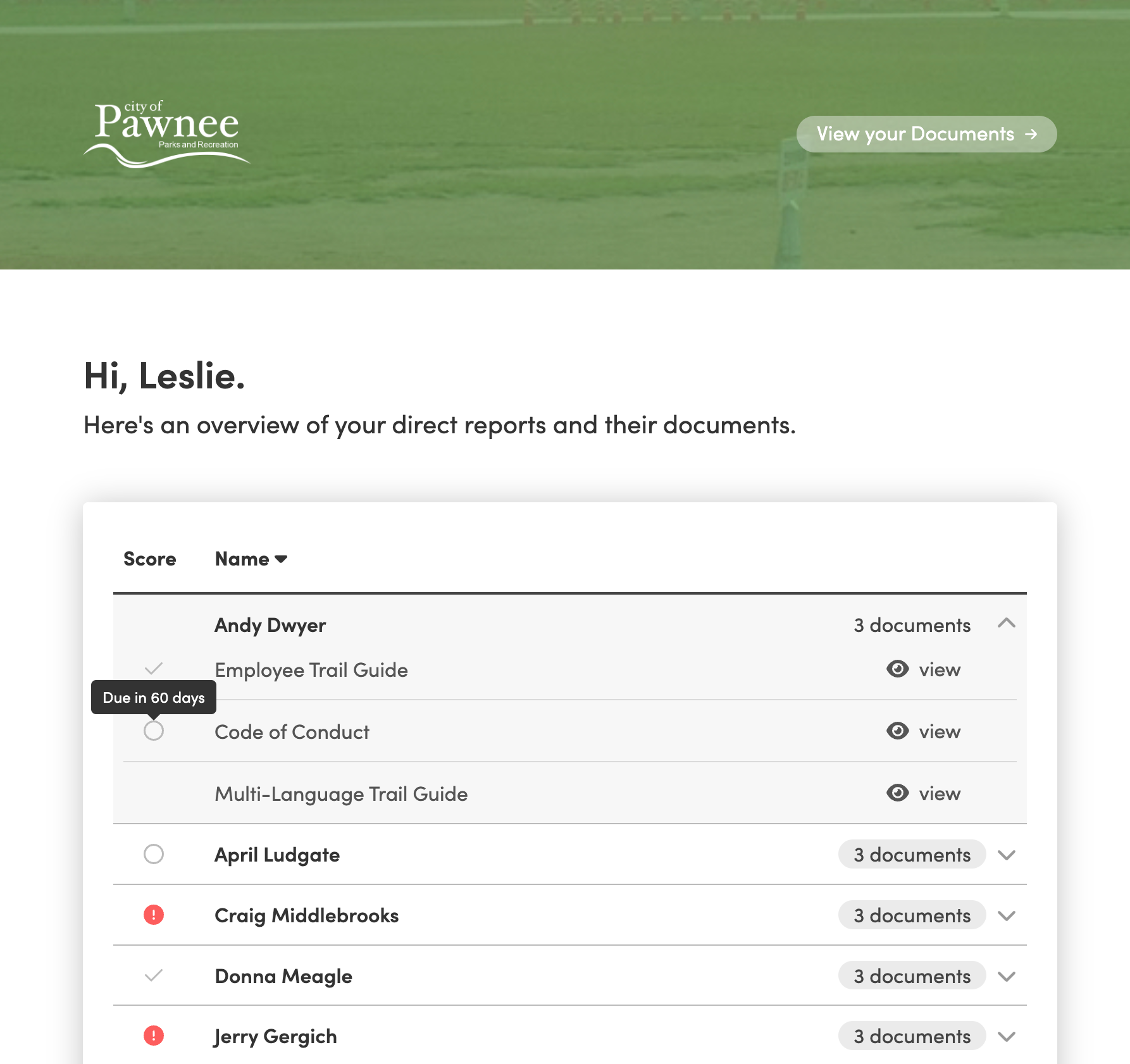
Watch acknowledgements come in from the whole company.
Automated reminders go only to people who still need to sign, on the schedule you set, with the option to copy each person's manager. Managers check their team's status on their own dashboard and nudge anyone behind with one click. Following up stops being a one-person job, and your inbox gets a lot quieter.
Show your work
Know who's signed before leadership asks.
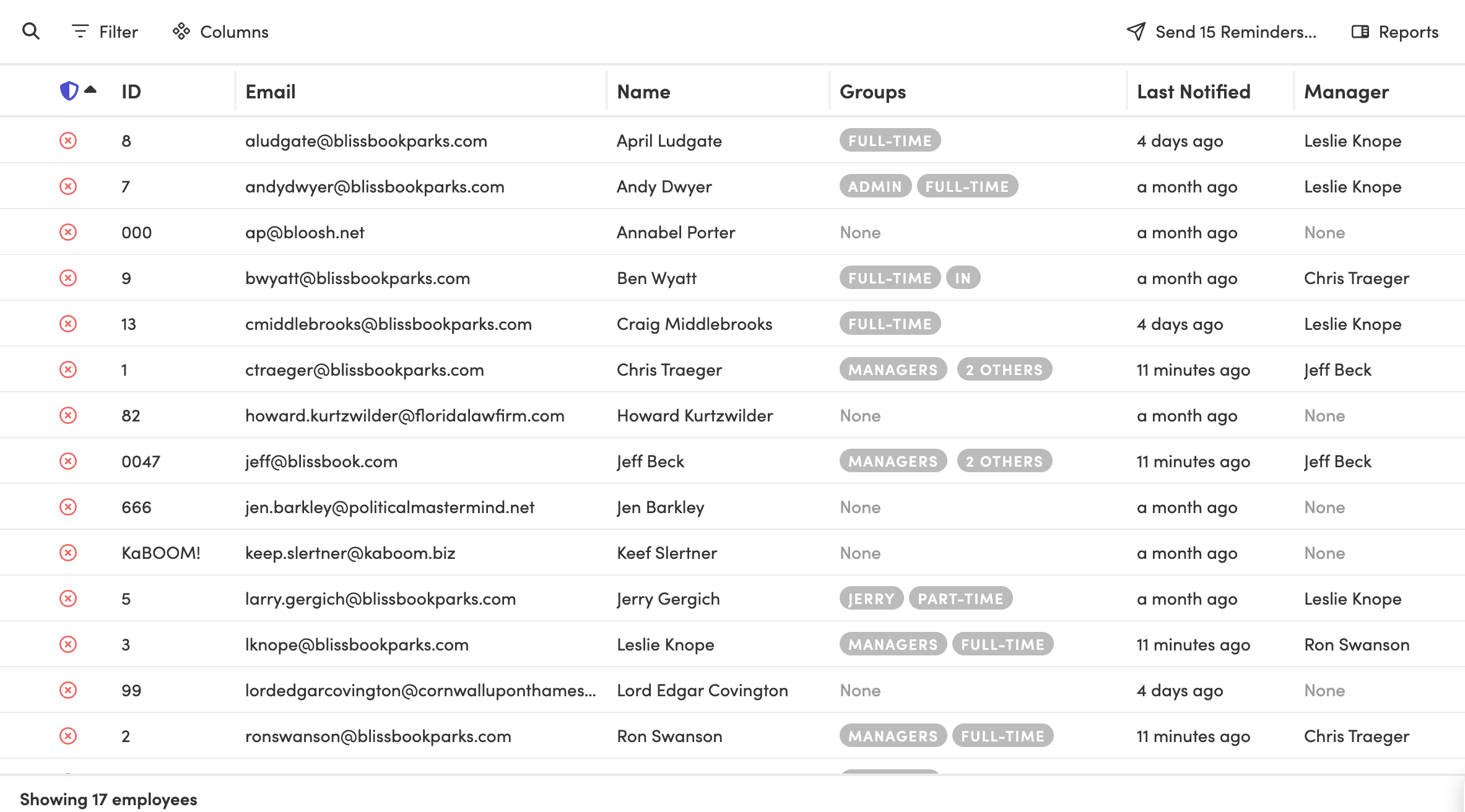
The Reporting Center shows who was notified, who viewed, and who signed every document, sorted by manager, group or hire date. Save the report once and export it to CSV or PDF before the leadership meeting. When the CEO asks how the rollout went, you hand over a report that already answers their follow-up questions.
Set it, forget it
New hires get the handbook automatically.
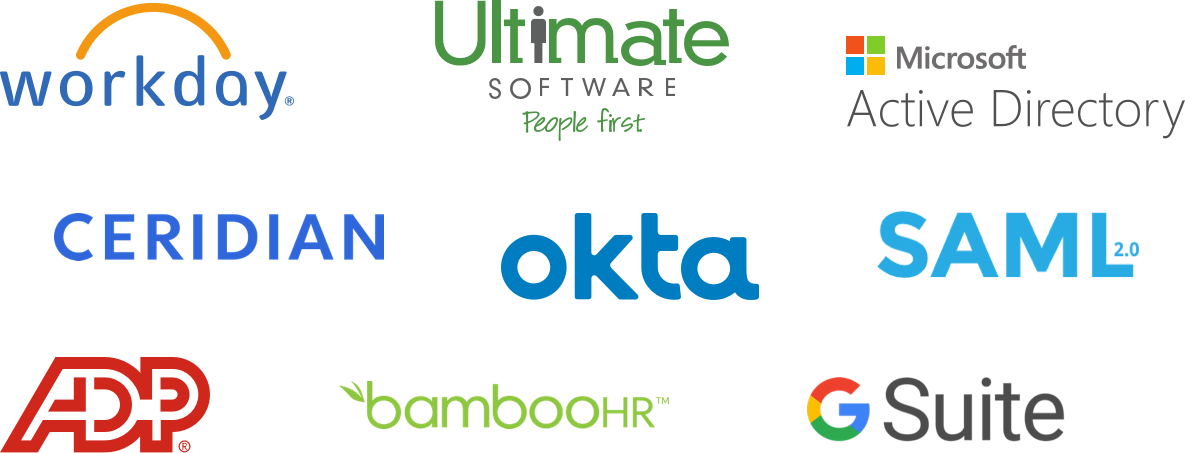
Connect one of more than 80 HRIS, payroll and directory platforms, and Blissbook syncs your employee list every day, adding new hires and removing people who leave. The same sync feeds the state, entity, and manager details behind your personalized content and reports. Employees sign in through your company's single sign-on, so there's no new password to remember.

Ready for IT
Answers ready for your security review.
Your IT and security teams get the details they ask about before they sign off.
- SOC 2 Type I and II audited
- Single sign-on with Okta, Microsoft Entra ID, Google, Rippling or any SAML 2.0 provider
- HTTPS in transit and TLS 1.2+ internally
- Backups handled by Blissbook
- Security documentation in the Blissbook Trust Center
Blissbook has transformed how we manage and communicate our employee handbook and mandatory acknowledgments... we've surpassed our Handbook Campaign goals in both timeliness and completion rates.
 Jill Wolfe, HR Compliance, Shutterfly
The process to collect and audit employee signatures (now electronically!) has never been easier. A major improvement and advancement for employee handbooks!
 Amy Turner, HR Operations, Cengage
We love how easy it is to update content, communicate changes with employees, and report on acknowledgements. We couldn't be happier!
 Mystel Duke, SVP HR, SWBC
Blissbook has been an outstanding partner that helped us turn 150+ handbooks into 1 - our first electronic handbook.
 Kris Cegielski, HR Business Partner, Ashley Furniture
We love how easy it is to update our Team Member Handbook and the annotations feature really simplifies communicating changes with employees.
 Concetta Lewis, People Development, Daxko
We're so glad we decided to work with Blissbook when we replaced our PDF handbook. Yes, the product is great. More importantly, when we need help, they make us feel like we're their only customer.
 Keesha-Ann Murphy, Human Capital Generalist, Russell Reynolds Associates
The result of this hard work is a beautiful global handbook we are so proud of and that is very Slalom.
 Mel Murphy, Policy & Compliance Program Manager, Slalom
Everything you need for a midsize company handbook
- HR experts to write or update content
- Hundreds of model policies
- Word document import
- Real-time co-editing and comments
- Review and approval workflows
- Roles and per-policy access
- Personalized content by state or entity
- Branding for each entity
- Version history and redlines
- Automated reminders and manager follow-up
- Reports you can export
- HRIS sync and single sign-on
Frequently
Asked
Questions.
Ready for a handbook you can stand behind?
Getting started
What happens after you request a demo
- 1
A customized walkthrough
We schedule a call and cover what you care about, from the first signature round to the report at the end.
- 2
Easy to use from day one
Blissbook is straightforward to run, so your team gets going quickly without a heavy learning curve.
- 3
Customer success by your side
We'll help with setup, content migration, and design, so your first signature round works like a charm.