An employee signs into company email from a personal phone, saves a work file to a laptop, and leaves the company months later. Now HR and IT have to figure out: What data was on that device? Could the company remove it? Did the employee ever agree to specific rules?
A useful BYOD policy answers those questions before they become an offboarding problem. Start with who the policy covers, the security steps employees have to follow, and what the company can access on a personal device. Then outline the approved tools, reimbursement and offboarding rules, and make sure every covered employee reads and acknowledges it.
You approve a pay change, a manager approves overtime, Finance approves an expense, and an employee signs a payroll deduction form. If nobody can explain who had authority to approve each action, HR ends up sorting out the confusion after the fact.
This article covers how to build an HR authorization policy: who approves which decisions, which authorizations HR collects from employees, and how to get the policy acknowledged. It doesn’t cover the legal requirements for specific forms, such as state payroll deduction rules or Form I-9 steps.
You update the handbook after a law changes, send employees a link, and move on to the next task. Months later, someone asks who saw the update, which version they saw, and whether everyone signed it. The answers are somewhere in email, shared folders, and an old spreadsheet.
If you manage policies across several states or entities, three things matter most in HR compliance software: keeping policies current, tracking employee acknowledgments, and keeping a record of what changed and who saw it. Personalized content, approvals, reporting, and integrations come after that.
This article covers employee handbook compliance: policies, acknowledgments, and records. It does not cover payroll, tax, or benefits administration.
An auditor asks for proof that your California warehouse team acknowledged an updated meal-break policy last quarter. You open a shared drive, scroll through three versions of a Word doc, and realize the signature spreadsheet only covers your Texas office. That gap between “we sent it” and “we can prove who read what, and when” is where employee handbook software earns its keep.
For HR leaders managing a multi-state workforce, the problem compounds fast. Each jurisdiction layers its own leave, harassment, and wage rules on top of federal requirements. You need a system that tracks every policy variant, every version change, and every employee acknowledgement, then packages that history into reports an auditor can trust. Employee handbook software built for that job replaces the patchwork of PDFs, email threads, and shared drives many teams still rely on.
The three most important employee handbook software features are version control, location-based policy management, and acknowledgment tracking. They come first because they keep policy content accurate, show each employee the rules that apply to them, and document who received, viewed, and signed each version.
Someone updates the PTO policy, then asks which version is current. The answer depends on which document, shared drive, or local file they opened.
At 50 employees, that confusion is manageable. As headcount, locations, and policy owners increase, it gets harder to check by hand. The right software reduces that uncertainty while leaving policy decisions with HR.
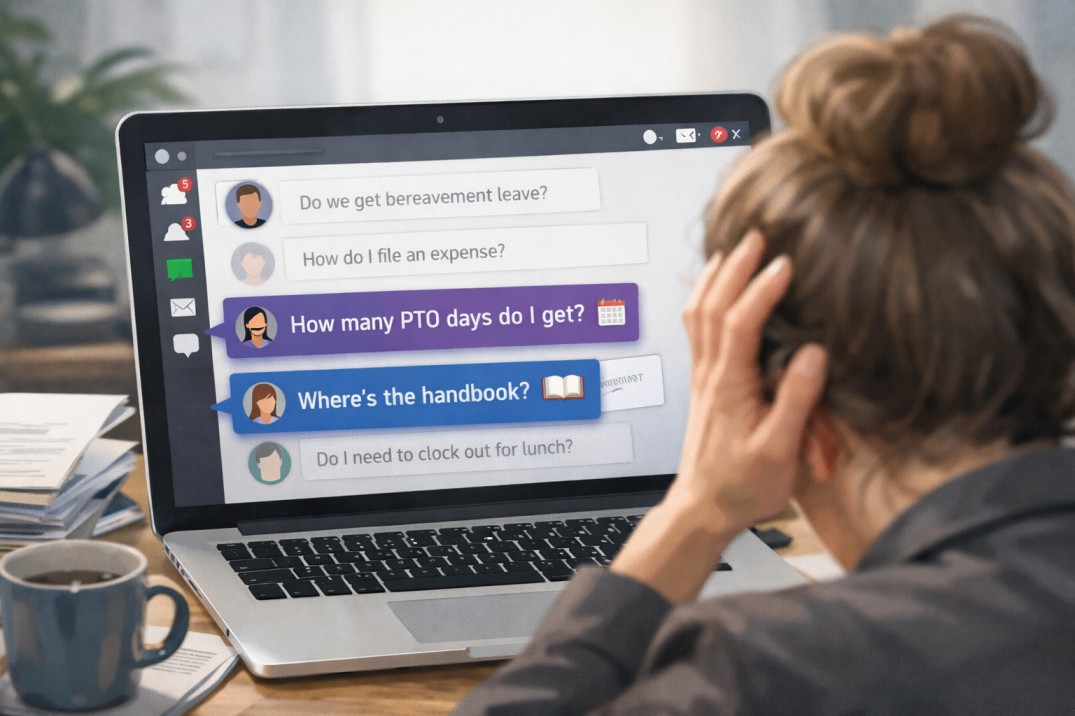
If that feels familiar, you’re not alone. Many HR teams pour serious time and effort into creating thoughtful, compliant handbooks, only to discover that employees aren’t actually using them. When employees aren’t reading the handbook, the issue isn’t laziness or resistance, it’s friction.
Maybe the document is hard to access. Maybe it feels overwhelming. Maybe it’s technically accurate but not especially engaging. Whatever the cause, low employee handbook engagement creates real risk. Confusion leads to inconsistent decisions, which can snowball into handbook compliance issues that cost time, money, and trust.
Let’s take a look at 10 clear signs your employees haven’t read your handbook, along with practical fixes for each one.
Your beautiful, branded, and intentionally “fun” PDF handbook project started with the right goals. For many teams, it’s a meaningful upgrade from the staid, legalese handbook employees barely touched. The content feels more human, the design reflects company culture, and the format is familiar. Teams choose PDFs because they know how they work and because a well-designed one genuinely feels more likely to be read (and a heck of a lot more fun to make).
The problem is what happens after that PDF is distributed. From that moment on, the content is frozen. Policies need ongoing updates as laws change, internal practices evolve, and expectations shift. A static file can’t keep up, and neither can a workflow that requires routing changes through a design team. Each update becomes a multi-step process, which encourages teams to delay changes so they can batch them together. In the meantime, employees are referencing information that’s already out of date.
This article breaks down the risks that come with relying on that beautiful PDF handbook with a custom layout, regardless of how polished or engaging it looks. You’ll see how this approach introduces friction, limits visibility, and increases compliance risk. Additionally, you’ll learn how modern HR teams are moving to a more flexible way of managing and sharing their policies (while keeping it on-brand and engaging).
Every HR team knows the routine. You send out a new policy, then spend the next few weeks chasing signatures, sending reminders, and feeling like the “policy police.” It’s necessary work, but it’s not exactly the part of the job anyone looks forward to.
The good news? There’s a smarter way. Modern HR teams are using digital tools and thoughtful design to achieve policy compliance automatically. The right approach turns compliance from a manual task into a seamless process that runs in the background, freeing HR to focus on people instead of paperwork. In this article, we’ll look at seven practical ways to achieve policy compliance without the constant hassle or nagging. From making policies accessible and personalized, to automating reminders and involving managers, you’ll see how the smartest HR teams get it done.
Writing employee policies often feels like a tug-of-war. On one side, HR wants efficiency: one master document that’s simple to update and share. On the other, employees want clarity: a streamlined handbook that only shows them the policies relevant to their role, location, or situation. What makes life easier for admins often makes life harder for employees, and vice versa.
Traditional tools don’t make this any easier. You either end up with a single, bloated doc stuffed with every possible policy, or you’re juggling multiple versions to accommodate different employee groups. Neither option really works. One leaves employees unsure of what applies to them, and the other creates chaos for HR; managing duplicate updates, trying to keep track of which file or folder employees should use, and dealing with the inevitable human error that comes from version sprawl.
But the old trade-off isn’t necessary anymore. Modern handbook software bridges the gap, delivering the personalization employees need without creating version-control chaos for HR. With Blissbook, you can manage a single source of truth for each policy, then deliver personalized, up-to-date handbooks that make sense for every employee. Everyone gets what they need, and nobody gets lost in the shuffle.
To create an employee handbook in Google Docs, start from a template, add each policy as a clearly titled section, then share it with view-only access. Below is the full step-by-step, plus when to move to dedicated software.
If your team is creating its first employee handbook, chances are you’ll start in a tool you already use every day. For many small or growing companies, that’s Google Docs. It’s free, familiar, and makes it easy to collaborate with managers or legal advisors without introducing new software. In those early stages, using Docs can feel like the simplest way to get your handbook project off the ground.
But here’s the catch: what works well for drafting and collecting input can quickly become clunky once your handbook needs to scale. Formatting gets messy, version control becomes confusing, and distributing a document to hundreds of employees isn’t as straightforward as hitting “share.”
We’re here to help. Let’s walk through the step-by-step process of creating an employee handbook in Google Docs, explore best practices to keep it professional and readable, and talk about when it makes sense to move beyond Docs into a more scalable, secure solution.