6 Reasons That Gorgeous PDF Handbook Is Putting Your Company at Risk
Your beautiful, branded, and intentionally “fun” PDF handbook project started with the right goals. For many teams, it’s a meaningful upgrade from the staid, legalese handbook employees barely touched. The content feels more human, the design reflects company culture, and the format is familiar. Teams choose PDFs because they know how they work and because a well-designed one genuinely feels more likely to be read (and a heck of a lot more fun to make).
The problem is what happens after that PDF is distributed. From that moment on, the content is frozen. Policies need ongoing updates as laws change, internal practices evolve, and expectations shift. A static file can’t keep up, and neither can a workflow that requires routing changes through a design team. Each update becomes a multi-step process, which encourages teams to delay changes so they can batch them together. In the meantime, employees are referencing information that’s already out of date.
This article breaks down the risks that come with relying on that beautiful PDF handbook with a custom layout, regardless of how polished or engaging it looks. You’ll see how this approach introduces friction, limits visibility, and increases compliance risk. Additionally, you’ll learn how modern HR teams are moving to a more flexible way of managing and sharing their policies (while keeping it on-brand and engaging).
Reason 1: Updates are Slow and Painful
Any update to a PDF handbook with a custom layout, even a minor one, needs to go through marketing, design, or whoever controls the file because any change can affect the design. This extra step and extra people turns what should be a straightforward edit into a mini-project that competes with other internal priorities. You might keep up at first, but it won’t last and your policies will end up being out-of-date. Do you want to spend your time “just checking in!” with the design team?
Because the process is so slow, many teams wait to make updates or skip them until they “have time.” Those delays create gaps between what’s written down and what you need to be compliant. Policies fall out of sync with legal requirements, especially for companies working across multiple states where laws change frequently (>75 changes last year!). When employees rely on outdated guidance, your organization takes on unnecessary compliance risk.
When Updates Lag, Compliance Risk Grows
Once the handbook stops reflecting reality, the risk spreads quickly. Managers make decisions based on old information, teams apply policies inconsistently, and HR loses confidence that employees are seeing the right version.
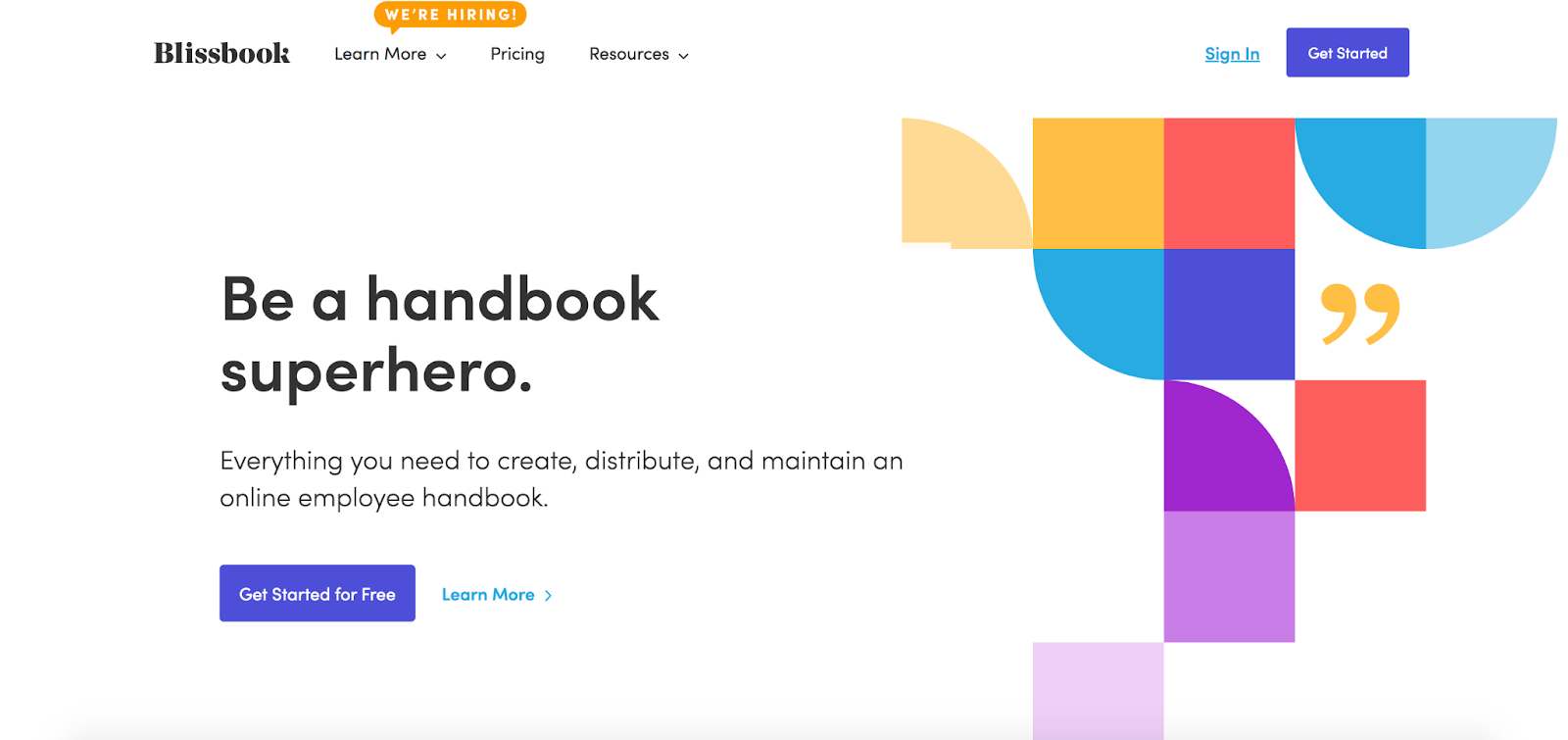
An electronic handbook or policy management system solves the core problem by keeping your handbook content digital, centralized, and easy to maintain. Some platforms (like Blissbook!) still have the design & branding tools you need to make your handbook beautiful and engaging. You don’t have to compromise!
The end result is a branded handbook that stays current, aligned, and fully compliant without the slow, manual workflows that PDFs create.
Reason 2: Employees Can’t Easily Find or Use a PDF Handbook
PDF handbooks often live “somewhere” inside an HRIS, tucked behind multiple clicks, login screens, or menu layers. Even when employees know where to look, the experience is rarely smooth. They have to download the file, wait for it to open, zoom in and out, scroll through odd page views, or rely on a search function that works differently depending on the device or viewer. While many PDFs include a table of contents, it’s usually designed for an actual print version of the handbook. Unless links were added from the TOC to the chapters and sections, users can’t jump to where they want to go.
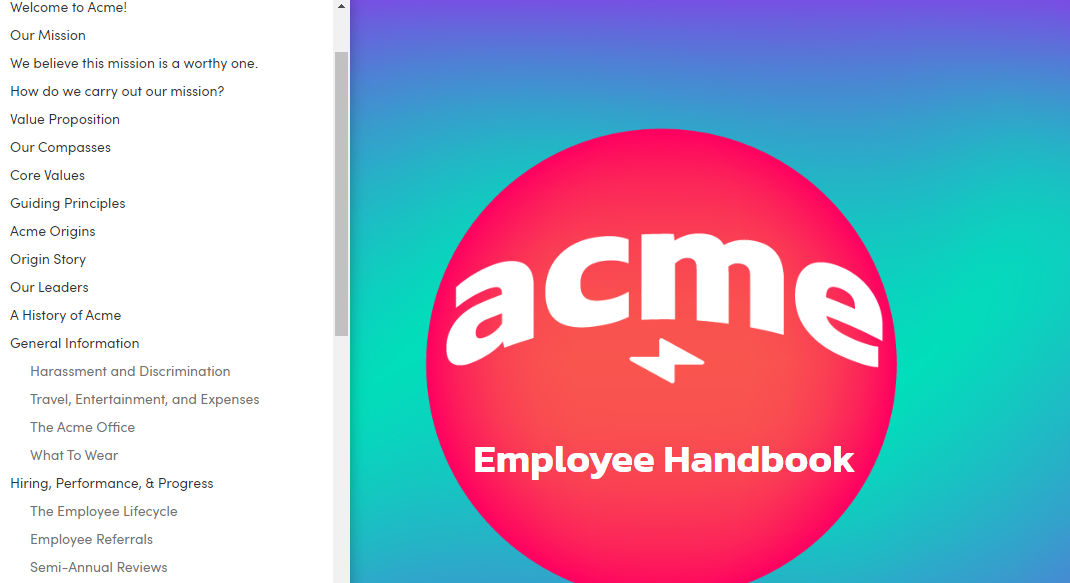
This friction has a predictable outcome: employees stop using the handbook. Instead, they guess, ask a manager, or ask you, and answers start to vary from team to team. That inconsistency creates avoidable compliance and employee-relations issues, especially when the “official” policy is hard to access in the moment.
When Employees Can’t Find Policies, They Can’t Acknowledge Them
If employees have to fight to open a PDF, they’re far less likely to read it, and even less likely to acknowledge it. The problem gets worse when policies are scattered across shared drives, old folders, and outdated links. At that point, it becomes difficult to confirm whether employees are looking at the right document, or any document at all.
A better approach is to centralize policies in a single digital home that’s clearly positioned as the official source for HR policies and top-down communication. A web-based handbook keeps everything organized, searchable, and available from anywhere, whether someone is in the office or remote. Employees can quickly find what they need, and HR can track acknowledgements in a consistent way. If a downloadable PDF is still useful for certain situations, it can be offered as an option, without making the PDF the main experience.
This is exactly the shift platforms like Blissbook support. The goal is simple: make policies easy to access and easy to acknowledge, so employees actually use them and HR can confidently know who has seen or signed what.
Reason 3: PDF Signature Tracking Is a Mess (or Totally Missing)
Most HRIS platforms let you upload a PDF and collect a one-time signature during onboarding. That’s usually where the functionality ends. When it’s time for annual acknowledgements or policy updates, the process falls apart. There’s no clear dashboard that shows who signed, who hasn’t, or who needs a nudge. HR teams end up chasing signatures manually, sending reminder emails, and hoping employees actually open, and actually read, the PDF they’re supposed to review. The more manual the process is, the more likely it is that signatures slip through the cracks.
That lack of visibility becomes a real problem when compliance questions come up. If a dispute arises or an audit happens, you need a clean, documented trail of who reviewed which policies and when. With PDFs, it’s often difficult to prove viewing or completion, and signatures may live in scattered files, disconnected forms, or outdated versions that don’t tell the full story. Without reliable tracking, HR can’t confidently verify that employees have acknowledged the policies that protect the organization.
Clear Tracking and Automated Reminders Reduce Risk
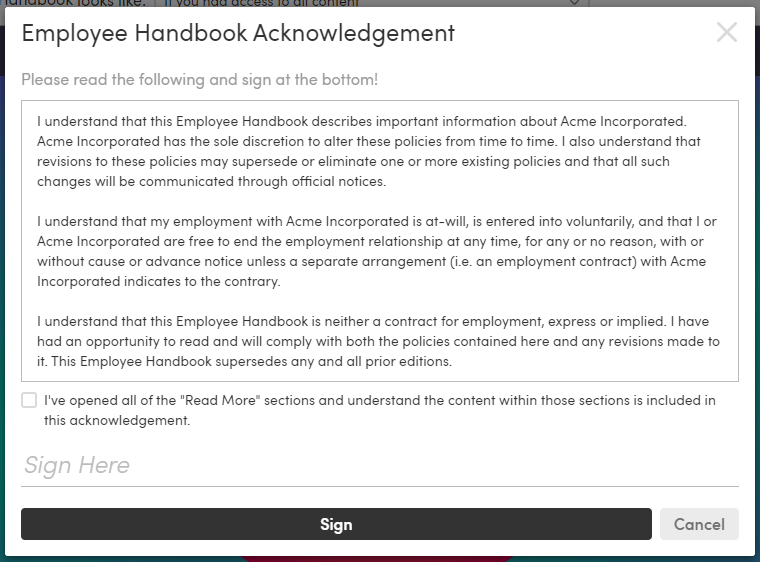
If you collect acknowledgements inside an electronic handbook system, employees can complete the acknowledgement as part of the handbook experience, which makes the process easier to complete and easier to document. In Blissbook, this happens through the Acknowledgement section, where you can add your own statement (or start from a template) and publish it with your handbook.
A centralized dashboard should show who’s completed the acknowledgement and who’s still outstanding. In Blissbook, this is supported through our Reporting Center which makes it easy to monitor completion and send automated reminders (or manual reminders when you want more control). Because acknowledgements are captured in the same system where the handbook lives, records stay organized and traceable without relying on scattered files or inbox searches.
Reason 4: Version Control Chaos Adds Risk
Managing a handbook through PDF files almost always leads to confusion. Different teams download copies, add tracked changes, leave comments, or update sections without knowing who else is editing the same document. Before long, multiple versions are circulating and no one knows which file has the latest decisions. This uncertainty slows reviews and increases the chance that outdated content gets published simply because someone used the wrong file.
When policy updates depend on files stored in shared folders or lengthy email threads, teams lose visibility into what’s been approved, what still needs review, and what has changed since the last update. Important edits get missed, conflicting feedback piles up, and employees may end up reading a version that doesn’t align with company practices.
A Clear Version History Removes the Guesswork
An electronic handbook or policy management system reduces version-control risk by giving your team one source of truth for drafting, review, and publishing. Instead of passing Word files around, teams can work in one place, with clear ownership and a reliable record of what changed.
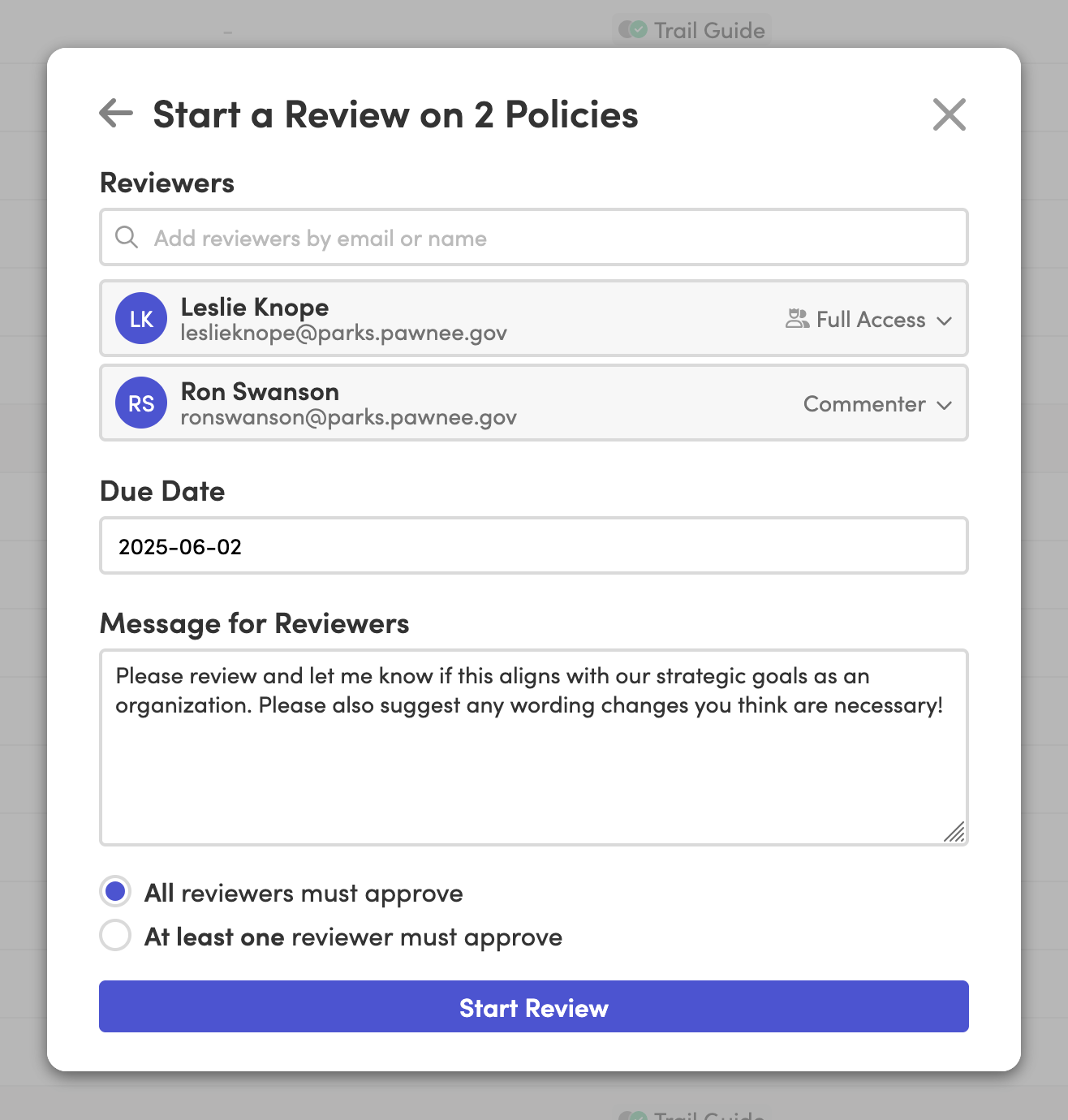
Blissbook supports this with built-in version history across your handbook content, so teams can see what changed over time and avoid confusion about which language is current. For organizations that need more structure, Blissbook’s PRO plan adds an official review and approval process, helping policy updates move faster while reducing the risk of missed edits, conflicting feedback, or accidental publishing errors.
Personalized content also helps reduce document sprawl. You can tailor policies (or pieces of them) for different locations or audiences without maintaining separate documents, which keeps content consistent while still allowing the right variations where needed.
Reason 5: Duplicate Content Across Multiple Documents Leads to Human Errors
For organizations that operate in multiple states or have different teams with unique requirements, policy duplication becomes a major problem. Teams often end up maintaining several documents with overlapping content. When a policy changes, that update has to be manually applied everywhere. It’s tedious and the more places the same text lives, the more likely it is that something gets missed.
This creates inconsistencies that are hard to spot until someone raises a concern. Employees may receive guidance that doesn’t apply to their location, and managers may make decisions based on information that was revised somewhere else but never updated in their copy. These gaps can lead to uneven experiences and increased compliance exposure, especially in regulated industries.
One Source of Truth Reduces Human Error
When you manage shared policy content in one place, you remove the need to copy and paste the same policy across multiple documents.
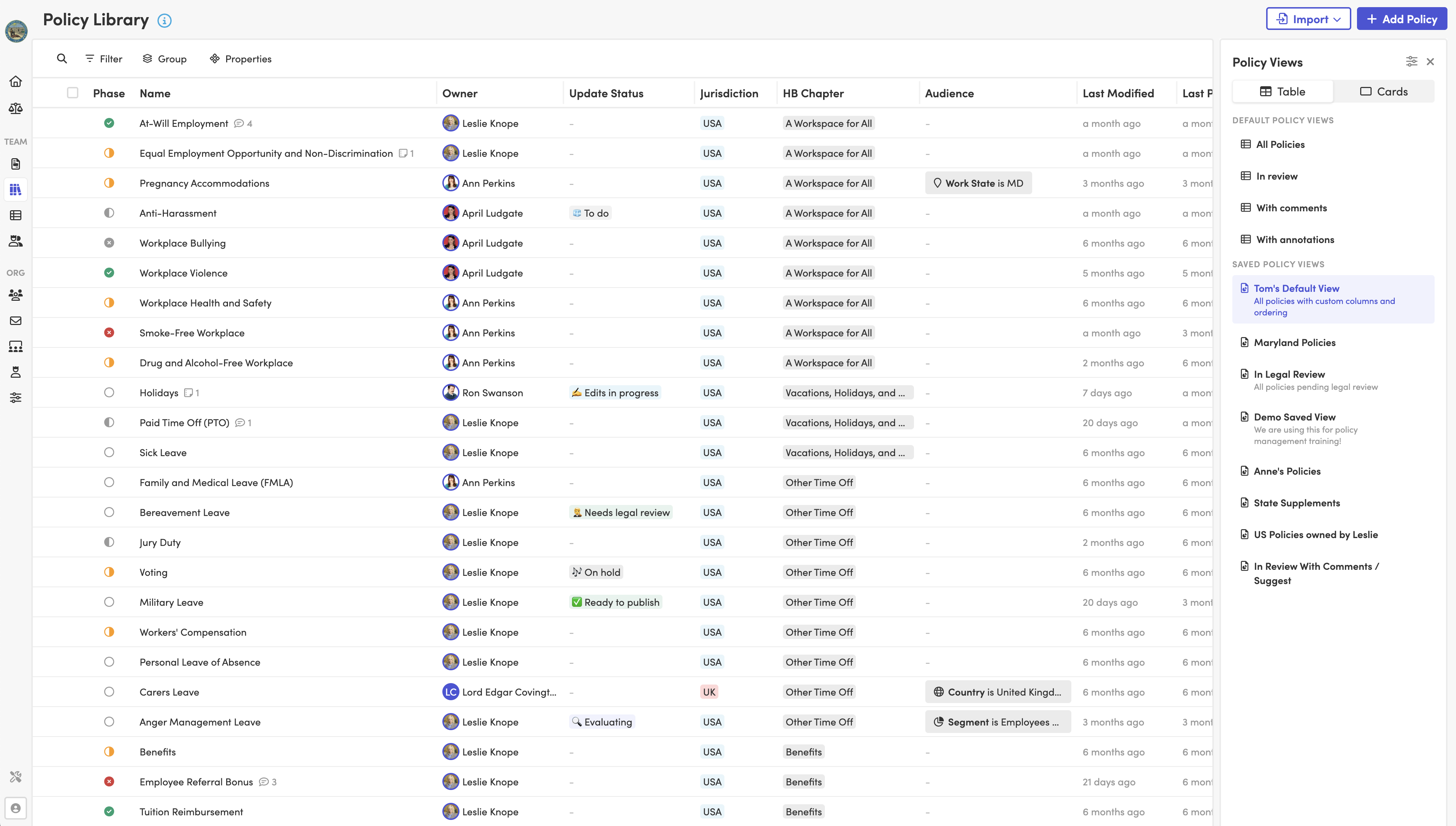
Blissbook’s Policy Library supports this by letting you maintain one core version of a policy and apply the right variations without duplicating entire documents. When a policy changes, you update it in one place and the correct content is available to the right audience, which helps teams stay consistent without relying on manual document maintenance.
Reason 6: PDF Handbooks Don’t Support Modern Workforce Expectations
Employees today expect workplace tools to be as accessible and intuitive as the apps they use every day. A static PDF just doesn’t match those expectations. It requires downloading, zooming, scrolling through rigid pages, and troubleshooting on mobile devices. For hybrid and remote teams, those extra steps turn a simple task into an inconvenience. Over time, that friction pulls people away altogether.
Modern Design Helps Employees Actually Use the Handbook
A modern handbook experience should work like the rest of an employee’s tools: web-based, mobile-friendly, and instantly accessible without downloads or special viewers. That matters for hybrid and remote teams in particular, because your policies need to be usable wherever work happens, not just when someone is sitting in your office.
Design also plays a real role here. You already know that a handbook that reflects your brand and reinforces your culture can feel more welcoming and easier to engage with. Just don’t burden your team by locking it in a PDF. In Blissbook, teams can apply branding and layout choices (like colors, fonts, background images, and structure) so the handbook still feels like an extension of your employer brand.
What Should We Do Instead?
If the themes in the six reasons felt familiar, that’s because they’re all symptoms of the same issue: PDFs are static, and the workflows around them are slow.
- Updates lag because edits have to go through a design gate.
- Access is frustrating because PDFs are hard to find, hard to search, and not mobile-friendly.
- Acknowledgements get messy because viewing and signing aren’t reliably tracked.
- Version control breaks down when multiple documents and “final-final” files are floating around.
- Duplication creates errors when policies are copied across departments, states, or audiences.
- The experience feels dated compared to the digital tools employees use every day.
So what’s the better path?

Go electronic, and choose a platform that treats your handbook as part compliance tool, part employee experience. If you’re considering a “beautiful PDF handbook,” here’s what to look for in a modern alternative:
- A branded, culture-first design experience with custom fonts, colors, layout, and a polished look that makes your employer brand shine.
- Fast editing and publishing so HR can keep policies current without waiting on a redesign.
- Mobile-friendly, browser-based access, which means no downloads, no special viewers, clear navigation, and strong search.
- Clear acknowledgement workflows which allow employees to sign within the system with automated and manual reminders.
- Reporting and visibility which looks like a dashboard showing who has viewed and signed, and what’s still outstanding.
- Version history and auditability (handbook-level versions and section-level history with clear change tracking).
- A centralized policy library where you can manage content once, reuse it where needed, and avoid copy/paste drift.
Blissbook was built for exactly this. It gives HR teams an electronic system that supports a modern employee experience, while still handling the operational and compliance basics that a PDF workflow makes difficult.
Final Thoughts
A gorgeous PDF can be a real improvement over an old, legalese handbook. However, it’s still a brittle format, and the friction around updating, accessing, tracking, and maintaining it can create avoidable risk.
If you’re ready to build a handbook that’s easier to maintain and use, Blissbook makes it simple to create a branded, culture-first handbook in a digital format. Contact us for a demo and we’ll show you how easy it can be.

Angeli Pacatang
Angeli has spent two years at Blissbook helping to create clear, engaging content about HR policies and employee handbooks. Before joining Blissbook, she worked as an HR manager in the Philippines for several years, giving her firsthand experience with the challenges HR teams face. Angeli combines her practical HR background with thoughtful research and writing to make complex policies easier to understand.