Employee Handbook Software Features That Matter Most
The three most important employee handbook software features are version control, location-based policy management, and acknowledgment tracking. They come first because they keep policy content accurate, show each employee the rules that apply to them, and document who received, viewed, and signed each version.
Someone updates the PTO policy, then asks which version is current. The answer depends on which document, shared drive, or local file they opened.
At 50 employees, that confusion is manageable. As headcount, locations, and policy owners increase, it gets harder to check by hand. The right software reduces that uncertainty while leaving policy decisions with HR.

1. Can You Edit Policies and See Exactly What Changed?
Every other feature depends on employees reading the current policy, which makes version control the foundation.
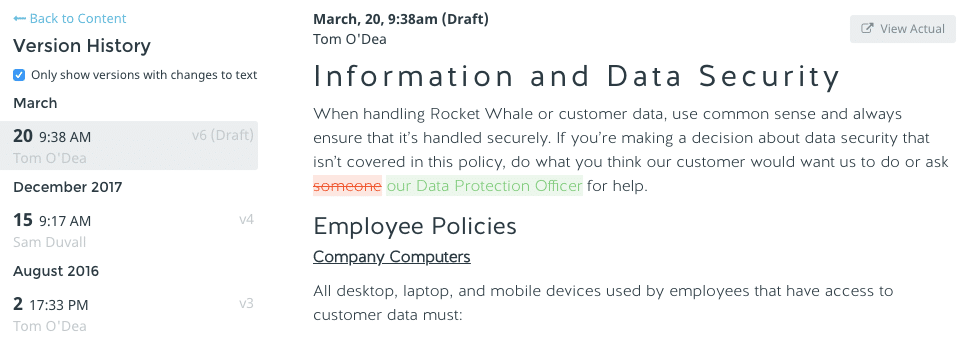
A useful platform lets your team edit policies in one place, review proposed changes, and see the history behind each published version: what changed, when, and who changed it.
That record matters once several people contribute. HR may own the process, while legal, finance, or department leaders review individual policies. Without a clear history, basic questions get hard to answer:
- Which version did we publish?
- Who reviewed it?
- What language changed?
- Which employees signed after the update?
Section-level and document-level version history should make additions, deletions, and formatting changes easy to spot, and side-by-side comparisons help when a policy has changed more than once. A central policy library adds one more benefit: when the same policy appears in several handbooks, you edit it once and publish the change everywhere it appears.
The practical test: ask a vendor to show you how to compare two published versions of the same policy. If the answer involves exporting files or checking multiple folders, the feature won’t hold up as your team grows.
2. Can the Handbook Handle Multiple States and Locations?
Once you hire in a second state, one set of rules stops covering everyone.
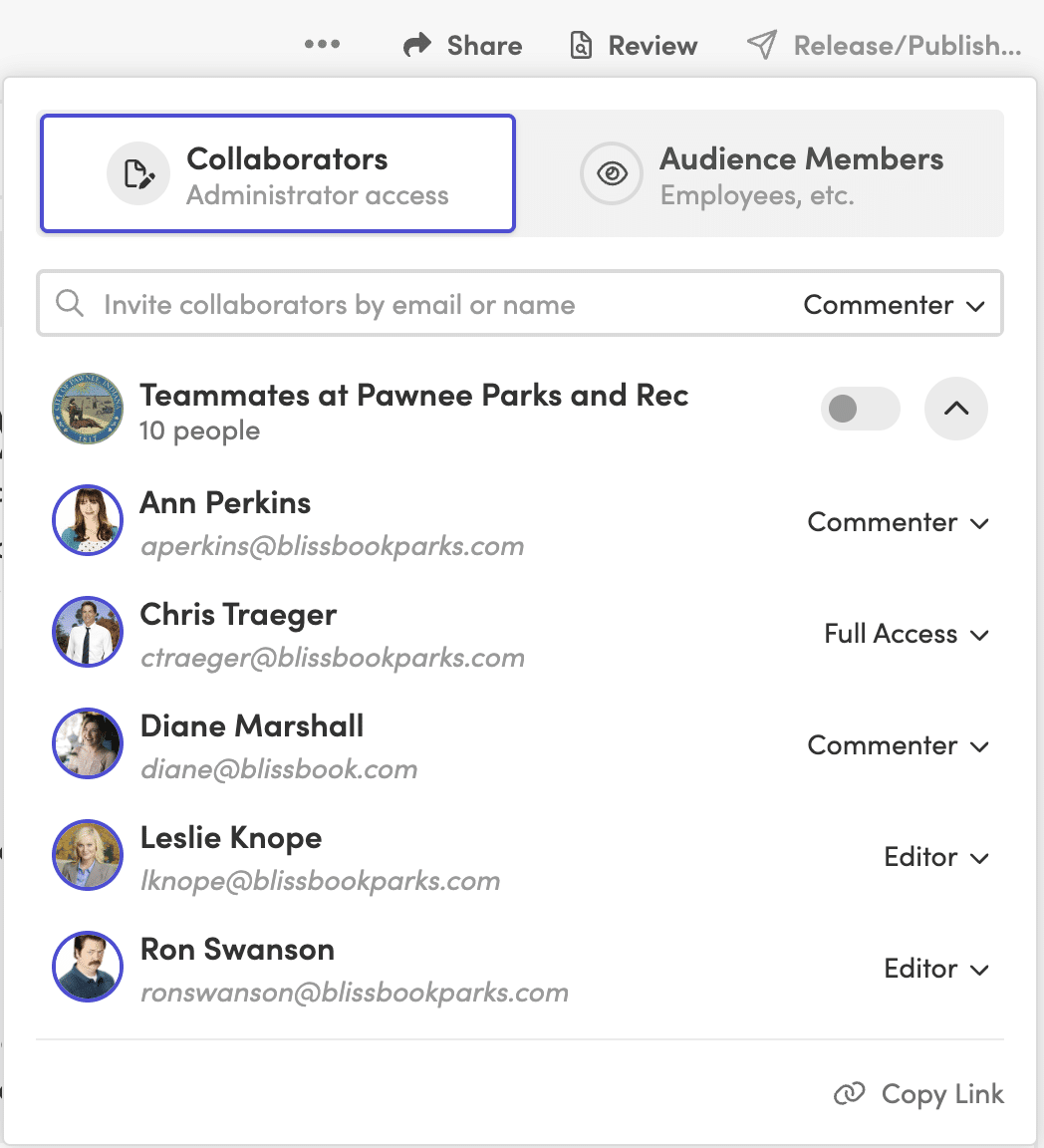
Some policies apply to all employees. Others depend on where someone works, which entity employs them, or how they’re classified. Software should let you manage those differences from one shared structure, showing a chapter, section, policy, or single paragraph only to the employees it applies to, based on fields like work location, state, employment status, or entity.
That keeps you from maintaining separate handbooks with repeated content, and employees don’t have to sort through rules that don’t apply to them. If you’re still deciding how to structure a multi-state handbook, settle that first.
Acknowledgments should follow the same logic. If employees in different locations see different content, each acknowledgment should reflect what that employee was shown. Before publishing, administrators should be able to preview the handbook as a specific employee.
Labor law updates belong in this evaluation too. A service that tracks policy-impacting changes across city, county, state, and federal jurisdictions gives HR a clear starting point when a policy needs review, and some services also suggest edits to your existing policy language. Software doesn’t replace legal review, though. Have qualified counsel review policy language and proposed changes before you publish.
Managing handbooks across several states? See how personalized handbooks work.
3. Can You Track Signatures and Acknowledgments?
Sending a policy proves it left your outbox, not that anyone read or signed it.
As the team grows, following up one person at a time stops working. A strong platform lets HR request electronic signatures, start a new signature round after a major update for everyone or only the affected employees, and see who still needs to sign.
Reminders should do most of the chasing. Look for control over reminder timing and wording, plus the option to copy managers. Bringing managers in helps when specific teams fall behind.
The record behind the signature matters as much as the signature. The platform should keep the exact content each employee could see when they signed. When personalized content means people received different versions of a policy, that record is what lets HR answer questions later.
4. Does It Connect to Your HRIS?
Every hire, departure, and manager change alters who should see your handbook.
When HR maintains the handbook audience by hand, the list drifts. A new hire gets missed. A former employee stays in a report. A manager change never reaches the person responsible for follow-up.
An integration with your HRIS, payroll system, or directory closes that gap. Check which fields it can use, such as work location, employment type, job title, and manager, because those same fields can drive personalized content, reporting filters, and manager follow-up. Also ask how often it syncs. Blissbook, for example, syncs with 80+ HRIS, payroll, and directory platforms once a day, adding new hires and removing people who have left.
A long integration list matters less than the right connection. Confirm the software supports your system and the employee fields your handbook process depends on.
5. Can Employees Find Answers on Their Phones?
Policy questions come up mid-shift, between meetings, or away from a desk, so the handbook has to work where the question starts.
A digital handbook should open in a mobile browser without a file download, stay readable without zooming, and let employees search using the words they’d naturally type, like “time off” rather than the exact policy title. For HR, the same search should make it easy to find related policies and avoid creating duplicates.
If part of your workforce is deskless, seasonal, or shares devices, check how people without a work email sign in. Depending on the platform, options may include single sign-on, kiosk access, or employee ID verification.
Then run a quick test: give someone a common question, a phone, and no help. If they can’t find the answer, your employees won’t either.
6. Can You Report on Views, Signatures, and Policy History?
A final signature count tells you how many people signed. It doesn’t tell you where the process stalled.
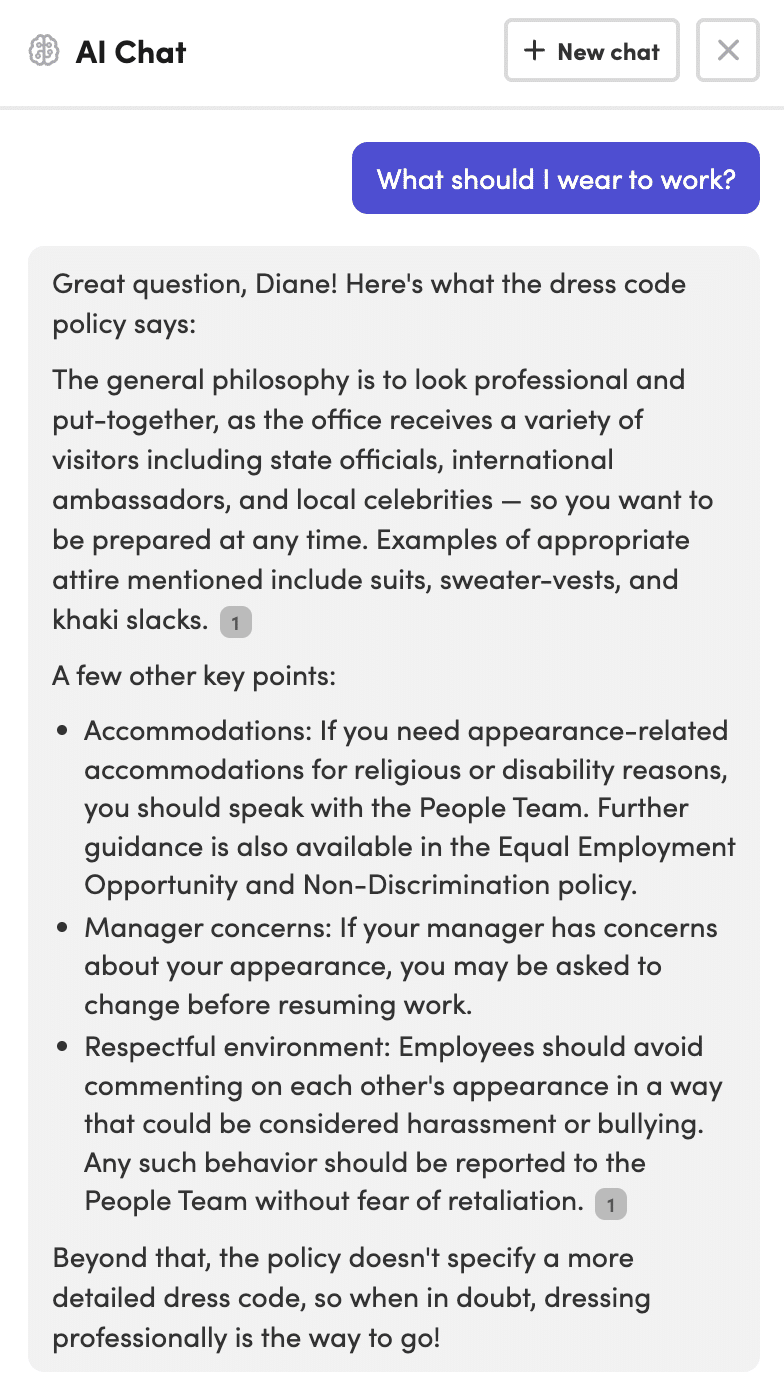
Reporting should separate employees who were notified, who viewed the document, and who signed it. As you grow, filters become essential:
- Group or location
- Manager
- Hire date
- Signature status
- Former (archived) employees
Export options help when HR needs to share a report or document a specific record. Reports should also show the exact content an employee saw when they signed, which matters most when your handbook uses personalized content.
A report for one document shows whether a rollout is working. A report across all documents shows the broader gaps, without combining spreadsheets by hand.
7. Can It Scale Beyond the First Handbook?
Scalable software absorbs new locations, entities, reviewers, and documents without making HR rebuild the process each time.
The daily work shifts as you grow. More people review content, more groups need different policies, and administration (former employees, manager changes, repeat signature rounds, shared policies across documents) often creates more work than the original launch.
The best test is to describe your next stage of growth and ask the vendor to walk through it: add a new location, assign a new policy reviewer, update a shared policy, and request fresh acknowledgments from only the affected employees. A repeatable process is a good sign. A series of manual workarounds is exactly what you’re trying to leave behind.
Want to walk through your next stage of growth with a real example? Request a Demo.
Employee Handbook Software Comparison Checklist
- Can HR compare published versions and see who changed each policy?
- Can one policy appear in multiple documents and update from a central source?
- Can employees see content based on location, state, entity, or employment status?
- Can the platform launch new signature rounds and automate reminders?
- Can it preserve the exact content each employee saw when signing?
- Does it connect to your HRIS, payroll system, or directory?
- Can employees access and search the handbook from mobile devices?
- Can HR filter and export reports by employee, manager, group, and status?
Employee Handbook Software Features FAQs
What Is the Most Important Feature in Employee Handbook Software?
Version control is usually the most important feature because it gives HR a reliable record of current and past policy content. Without it, signatures and reports may point back to a version that is difficult to verify.
Does Employee Handbook Software Replace Legal Review?
No. Employee handbook software helps organize, publish, update, and track policies, but legal review is still needed for policy language and jurisdiction-specific requirements.
Should Employee Handbook Software Include HRIS Integrations?
Yes, if you want employee access, personalized content, and reporting to reflect current employee data. Check whether the integration supports the fields your handbook process uses, including location, employment status, and manager.
Do Smaller Companies Need All of These Features?
Not on day one. A company in one state with few policy changes can start with version control and acknowledgment tracking. Personalized content and HRIS sync become more valuable once you add locations, entities, or frequent hiring.
Choose the platform that keeps policy content accurate as your company grows and keeps the employee side easy to follow.
