How to Create a Welcome Message for a New Employee (Examples)
To create a welcome message for a new employee, greet them by name, add one detail that shows you wrote it for them, and tell them what happens next. The message doesn’t need to explain everything about the company. It needs to make the first interaction feel personal and point the new hire toward the information they’ll need next.
A welcome message is often the first touchpoint in onboarding. Your employee handbook can then give the employee a place to learn how the company works, including policies, expectations, and practical details they may need throughout their first weeks.

How Do You Write a Welcome Message for a New Employee?
You can write a new employee welcome message in five steps, and once you have the first-day details, most of them take a minute or less.
1. Decide Who’s Sending It and Where
The sender and the channel decide how long a welcome message should be and how it should sound. A manager’s email can run a few short paragraphs, a team Slack post fits in two or three lines, and a first-day card can be warmer and more informal. If HR and the manager both plan to write, agree on who covers what so the new hire doesn’t get repetitive information.
2. Open with Their Name and Role
Start the welcome message with the person’s name and the role or team they’re joining. Generic phrases such as “Welcome aboard” can sound distant when they’re used alone, because nothing in them tells the reader the message was written for them.
3. Add One Detail You Wrote for This Person
One specific detail is what makes a welcome message feel personal instead of copied and pasted. You might mention their background, the project they’ll support, the location they’ll work from, or the people they’ll meet. A simple formula is:
Welcome + specific detail + what happens next
For example:
Welcome, Priya. Your experience in customer research will be a great addition to the product team. Jamie will meet you at the start of your first day and help you get set up before your afternoon team meeting.
If you’re welcoming several people at once, keep the structure consistent but change the personal detail for each employee. That keeps the process manageable without making every message sound copied and pasted.
4. Tell Them What Happens Next
A good welcome message gives the new hire one clear next step: when their first day starts, who meets them, or what to do before they arrive. Name their first point of contact too. That could be their manager, a buddy, or the teammate responsible for helping them get settled.
Welcome to the team, Jordan. We’re glad you’re joining us as our new Customer Success Manager. Your first day will start with a team introduction at 9:30 a.m., followed by time with your manager to review your first-week plan. We’re looking forward to working with you.
A message like this is short, but it gives the new hire a clear sense of what’s happening.
5. Point Them to Your Employee Handbook, Then Stop
End the welcome message by telling the new hire where to find the details you left out, which is usually the employee handbook or your onboarding materials. Policies, benefits and first-week logistics belong there, not in the welcome message itself.
Want new hires to land in a handbook they’ll actually read? See how Blissbook works for online employee handbooks.
What Are Some Welcome Message Examples for New Employees?
The right welcome message example depends on the channel and on who’s sending it. Each one below can be copied and adjusted with your own details.
Welcome Email from HR
Subject: Welcome to [Company Name], [Employee Name]
Hi [Employee Name],
Welcome to [Company Name]. We’re excited to have you joining us as [Job Title] on the [Team Name] team.
Before your first day, please review the schedule and onboarding information we’ve shared. Your manager, [Manager Name], will be your main point of contact as you get started.
We’re glad you’re here and look forward to working with you.
Best,
[Sender Name]
Welcome Message for Slack
Please join us in welcoming [Employee Name] to the [Team Name] team. [Employee Name] is joining us as [Job Title] and will be working with [Project or Group]. Welcome, [Employee Name]. We’re glad you’re here.
First-Day Welcome Card
Welcome, [Employee Name]. We’re happy you’re here. We hope your first day gives you a good feel for the team, the work, and how we work together. We’re looking forward to getting to know you.
Welcome Message for a Remote Hire
Welcome, [Employee Name]. We’re excited to have you joining us remotely as [Job Title]. Your first-day schedule includes video introductions with the team and time with [Manager Name] to review your first-week priorities. If you have questions as you get settled, send them our way.
For remote employees, name the communication channels they’ll use and explain how the first day will work. That small amount of detail can make a distributed team feel more accessible.
Welcome Message from a Manager
Welcome to the team, [Employee Name]. I’m glad you’ve decided to join us. During your first week, we’ll talk through your role, introduce you to the team, and set your first priorities together. You don’t need to have everything figured out right away. We’ll take it one step at a time.
Welcome Message from the Team
Welcome, [Employee Name]. We’re excited to have you with us. You’ll be working with a friendly group of people who are happy to answer questions and help you learn the ropes. We’re looking forward to meeting you and seeing what you’ll bring to the team.
Welcome Message Before the First Day
Hi [Employee Name], we’re looking forward to having you start on [Start Date]. Your first day begins at [Time] with [First Activity]. [Manager Name] will be your main contact, and you can reach them at [Contact Details] if anything comes up before then. You’ll also get an email inviting you to read our employee handbook, so you’ll know where to find our policies from day one.
Welcome Text for an Employee Without a Work Email
Hi [Employee Name], welcome to [Company Name]. We’re glad you’re joining us at [Location]. Your first shift starts at [Time] on [Date], and [Manager Name] will meet you at the front entrance. Reply to this text if you have any questions before then.
Welcome Message for an Internal Transfer
Welcome to the [Team Name] team, [Employee Name]. A lot of us already know your work from [Previous Team or Project], and we’re glad to have you with us full time. [Manager Name] will set up time this week to walk through your new priorities and introduce you to the people you’ll work with most.
Writing the welcome at the start of the handbook itself is a different job. For that, see how to write a handbook welcome statement or a welcome message from the CEO.
How Does a Welcome Message Fit Into Onboarding?
The welcome message starts the relationship, while the onboarding materials give the employee information they can return to.
After welcoming the new hire, direct them to the places where they can find information about company policies, workplace expectations, benefits, communication norms, and other onboarding topics.
A handbook works best when employees can find what applies to them without sorting through information meant for someone else. Personalized content can show employees only the handbook sections, policies, or text that apply to their group, location, employment status, or entity.
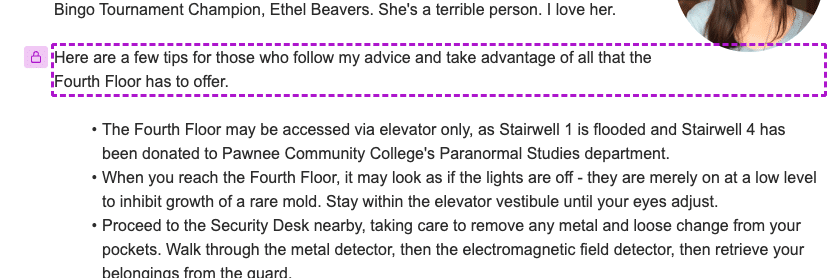
In Blissbook, new hires read the handbook online and acknowledge it electronically, and HR can see in reporting who has viewed and signed it. If your HRIS is connected, Blissbook can also invite each new employee to the handbook automatically when they’re added.

Does your HRIS already know when someone starts? Connect it to Blissbook so the handbook invitation goes out without anyone sending it by hand.
A new hire may not remember every detail from their first day. A handbook gives them somewhere to return when they have a question later.
How Can You Make Welcome Messages Easier to Manage?
The easiest way to manage welcome messages is a repeatable template with room for the manager or team to add one personal detail.
HR can create templates for common situations, including office-based hires, remote hires, internal transfers, and employees joining larger teams. Managers and team leads can then personalize the greeting without starting from a blank page each time.
The process gets harder when several people are onboarding at once. Details can be missed, different teams may send conflicting instructions, and employees may receive a welcome message without knowing where to find the policies it refers to.
A simple workflow keeps the message connected to the rest of onboarding:
- HR prepares the core welcome template.
- The manager adds a personal sentence and first-week details.
- The team sends a short introduction in its usual communication channel.
- The employee receives the handbook and knows where to return with questions.
- HR tracks handbook views and acknowledgements as part of the onboarding process.
For policies that change later, a central policy library can help HR maintain the content employees receive. In Blissbook, HR can organize policies in one place, reuse a policy across documents, and request a new acknowledgement after a major update.
Hiring across locations or employee types? Show each new hire only the policies that apply to them.
What Should You Avoid in a New Hire Welcome Message?
The most common mistake in a new hire welcome message is trying to fit the whole onboarding plan into it.
A welcome message should help the employee feel oriented. It shouldn’t become a long list of tasks, repeat the entire onboarding schedule, or introduce policies without telling the employee where to find the full information.
Watch for these common problems:
- Using the same message for every role and situation
- Including details that are likely to change
- Making promises about the employee’s experience that you can’t control
- Sending a message without naming a contact person
- Mentioning the handbook without explaining what it’s for
- Writing from the company’s perspective without acknowledging the employee
A short message with one relevant detail usually feels more thoughtful than a long message filled with general language.
Welcome Message for a New Employee FAQs
How Long Should a Welcome Message Be?
A welcome message can be one short paragraph or a few brief paragraphs. Include enough information to make the employee feel expected and explain the next step, then leave detailed instructions for the onboarding schedule or handbook.
What Should a New Employee Welcome Message Include?
A new employee welcome message should include the person’s name, their role or team, one personal detail, what happens next, and who to contact with questions. Anything longer, like policies or benefits, belongs in the handbook or onboarding schedule.
Should HR or the Manager Send the Welcome Message?
Either HR or the manager can send the welcome message, as long as it makes the manager’s role clear. HR can provide consistency and the core onboarding information, while a manager can add context about the team, role, and first-week priorities.
Should You Send a Welcome Message Before the First Day?
A welcome message before the first day is worth sending when you have useful information to share before the start date. A preboarding message can confirm the first-day schedule, explain where the employee should go or sign in, and introduce their main contact.
How Do You Welcome a New Employee Who Doesn’t Have a Work Email?
To welcome a new employee who doesn’t have a work email, use the communication method they can access, such as a personal email address, text message, phone call, or printed card. Make sure the employee also has a clear way to access onboarding information and acknowledge required policies.
Should a Welcome Message Include Company Policies?
A welcome message can point the employee toward the handbook, but it shouldn’t replace the policies themselves. Any policy language should be reviewed for the company’s situation, and legal review is still needed when the message or handbook covers employment rights, obligations, or jurisdiction-specific requirements.

Kamila Lipska
Kamila Lipska is a growth and digital marketing specialist with over 15 years of experience in SaaS and technology. At Blissbook, she focuses on making employee handbook, compliance, and HR communication topics easier to understand, using customer insights, search data, and real-world questions to create practical, useful content.