What Should a Remote Work Policy Include?
A remote work policy answers the questions employees would otherwise take to their manager: who can work remotely, how to ask, when to be online, what the company pays for, and how to protect company data. If you allow hybrid work, it also covers office days. Then publish it in an online employee handbook, where employees can read the current version and acknowledge it.
Without a written policy, a simple question (can I work from another state for two weeks?) sends you searching through old emails for the answer.

What Is a Remote Work Policy For?
Put simply, a remote work policy explains how your company handles work performed away from a central office. The policy gives employees and managers the same reference point for decisions about eligibility, schedules, equipment, and security.
A small team can handle remote arrangements through conversations. But once more managers need to approve requests, and people work from different places or on different schedules, informal agreements get harder to manage.
Start the policy by stating:
- Why the company supports remote or hybrid work
- Which employees and work arrangements the policy covers
- Whether remote work is a standard arrangement or an approved exception
- Who owns the policy and how employees will be notified of changes
Don’t promise that every employee can work remotely (unless your company allows it), and don’t imply that an arrangement will continue indefinitely.
A work from home policy may cover employees who work remotely from a designated home location. A broader remote work policy may address work from other approved locations. If your company allows both, define the terms at the start so employees know whether they describe the same arrangement.
Who Is Eligible for Remote Work?
Eligibility should be based on the role requirements and business needs, not on an informal understanding between one employee and one manager.
The factors that guide eligibility might include the nature of the work, access to required systems, performance expectations, team coverage, customer needs, and any location restrictions. State whether eligibility applies to all employees in a job category or requires individual approval.
The policy should also explain who makes the decision. For example, an employee may submit a request to their manager, while HR reviews exceptions or location changes. Write down what approval means, who must approve it, and whether the arrangement can be changed or ended.
A clear approval process answers four practical questions:
- How does an employee request remote or hybrid work?
- What information must the request include?
- Who reviews and approves it?
- How will the decision be documented?
You can link the policy to a separate request process if the details change more often than the policy itself. Either way, employees need to know where to start, and managers need to follow the same process.
How Should a Remote Work Policy Set Hours and Availability?
Say when employees are expected to work, how they share their availability, and which meetings they have to attend.
Remote employees can keep different schedules, but teams still need times when they can count on each other. Explain whether employees must follow set working hours, maintain overlapping core hours, or coordinate schedules with their manager. Include expectations for meetings, response times, time tracking where applicable, and notice when someone will be unavailable.
Avoid vague language such as “be available during normal business hours” unless you define what that means for your company. A line like “Core hours are 10 a.m. to 3 p.m. Eastern” gives people something they can follow. If employees work across time zones, name the one you use for meetings, deadlines, and shared coverage.
A hybrid work policy also needs location-specific expectations. State how often employees are expected to work from an office or other approved workplace, how office days are scheduled, and what happens when an employee can’t attend a required in-person day.
Give managers room to handle differences between roles while keeping the main expectations the same. That’s easier when the policy states the standard and says where a manager can approve an exception.
What Should a Policy Say About Equipment and Expenses?
Employees need to know which equipment the company provides, which personal items they can use, and how they request support or replacement equipment.
Describe the process rather than listing every possible item. Explain how employees receive company equipment, who maintains it, what happens when equipment is damaged, and how equipment should be returned when employment ends or the arrangement changes.
Do the same for expenses. State which work-related costs may be reimbursed, what documentation is required, who approves the expense, and when requests should be submitted. If the company doesn’t reimburse a category of expense, say so plainly.
Expense reimbursement rules can vary by state. Have qualified legal counsel review the policy before you publish it, especially when employees work from multiple states.
Keep equipment and expense rules easy to find. Employees shouldn’t have to search a general travel or purchasing policy to understand whether a home office cost belongs in the remote work policy.
How Should a Remote Work Policy Address Data Security?
Tell employees how to protect company information when they work remotely.
Cover the systems and behaviors employees control directly. The policy may address approved devices, password protection, multi-factor authentication where required, software updates, secure Wi-Fi, storage of confidential information, and the use of public spaces. Also say what employees must do if equipment is lost, a device is compromised, or company information goes to the wrong person.
Security expectations work better when employees know what to do in a specific situation. “Protect company data” is too broad by itself. Add the reporting channel, the expected response, and the types of incidents employees should report.
Make sure the remote work policy matches your security and acceptable use policies. If those documents use different terms or give different instructions, employees may not know which rule applies. A policy library can help you organize related policies and maintain shared content in one place.
What Is the Difference Between a Remote and Hybrid Work Policy?
A remote work policy covers employees who primarily work away from a central office. A hybrid work policy covers employees who divide their work time between remote work and an office or other designated workplace.
A remote policy should focus more heavily on approved work locations, communication across time zones, equipment, and connection to the wider team. A hybrid policy needs additional rules for office attendance, scheduling, workspace availability, and changes to assigned office days.
Some companies use a single policy with separate sections for remote and hybrid arrangements. Others maintain one core policy and add location or role-specific content. The right structure depends on how much the arrangements differ and how often the rules change.
Whatever structure you choose, define the terms before describing eligibility. Employees should be able to tell whether their arrangement is remote, hybrid, or subject to a separate approval.
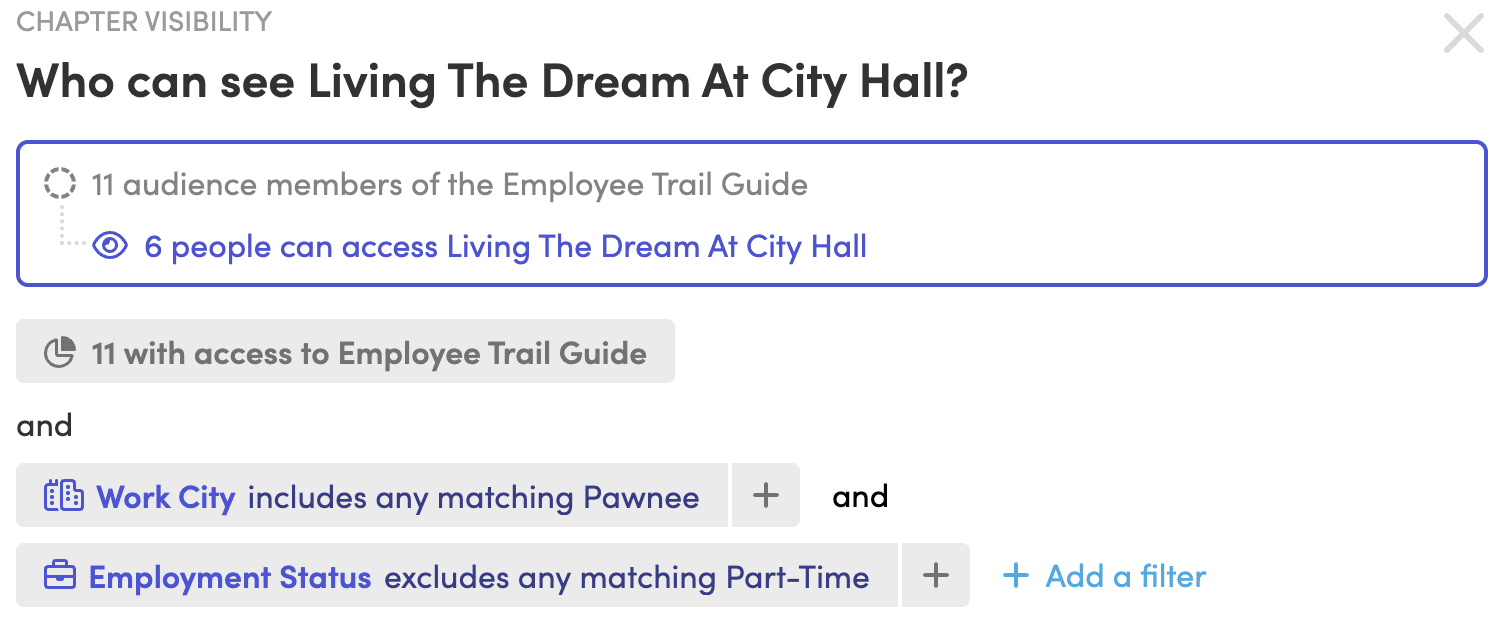
If employees in different locations need different sections, Blissbook’s personalized content shows each employee only the policies that apply to their work location or group.
What Should a Remote Work Policy Outline Include?
A practical remote work policy outline should follow the decisions employees and managers make in order:
- Purpose, scope, and definitions
- Eligibility and approved work locations
- Request, review, and approval process
- Work hours, time zones, availability, and meetings
- Performance, communication, and collaboration expectations
- Company equipment, technology support, and acceptable use
- Business expense reimbursement process
- Data security, confidentiality, and incident reporting
- Office attendance rules for hybrid employees
- Changes, reviews, and policy acknowledgement
The outline should also identify related policies that employees need to read, such as information security, expense reimbursement, attendance, leave, and acceptable use. Link those policies where employees will see them instead of repeating the same language in several places.
An online handbook gives remote employees one place to read the policy, wherever they work. It also lets you distribute updates and track acknowledgements instead of relying on email replies or separate spreadsheets. With Blissbook, HR publishes the handbook, emails employees when it’s ready, and sends reminders to anyone who hasn’t signed.
Need a record of who signed? Blissbook tracks signatures and exports reporting to PDF or CSV.
How Should Employees Acknowledge a Remote Work Policy?
Employees should acknowledge the policy through the same online process you use for the rest of the handbook. That way the policy sits alongside their other workplace expectations, and you have a record of who received and signed it.
A useful acknowledgement process should make the current policy easy to read before signing. It should also distinguish between employees who were notified, employees who viewed the policy, and employees who completed the acknowledgement.
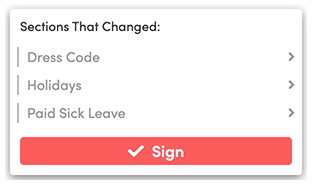
When the policy changes in a meaningful way, consider whether employees need a new acknowledgement. The answer depends on the change, the policy, and legal guidance. Keep a record of the version employees saw when they signed so you can answer questions about what applied at that time.
Before publishing your policy, confirm that it:
- Defines remote, hybrid, and approved work arrangements
- Explains eligibility and who approves requests
- Sets expectations for hours, availability, meetings, and time zones
- Covers equipment, technology support, and expenses
- Gives specific data security and incident reporting instructions
- Explains office attendance rules for hybrid employees
- Links to related policies instead of repeating their language
- Includes a process for distributing updates and tracking acknowledgements
Remote work policy FAQs
Is a remote work policy the same as a work from home policy?
A remote work policy and a work from home policy often overlap, but they aren’t always the same. A work from home policy may focus on a designated home workspace, while a remote work policy may cover other approved locations. Define both terms for your company.
Should a remote work policy include a trial period?
A remote work policy can include a trial period if your company uses them for new work arrangements. State how the period works, who reviews the arrangement, and what criteria guide the decision to continue, change, or end it.
Can employees work remotely from another state?
Employees can sometimes work remotely from another state, but the arrangement may create tax, payroll, labor law, security, or operational considerations. Review it with qualified legal and tax professionals before approving it, because those rules can vary by state.
How often should you update a remote work policy?
Review a remote work policy whenever your work arrangements, technology, approval process, or legal requirements change. A regular review schedule can also help you catch outdated instructions before employees rely on them.
Do remote employees need to sign the employee handbook?
Remote employees should have a clear way to read and acknowledge the handbook and any policies your company requires them to sign. An online handbook supports that process by giving them access to the current content and giving HR a record of their acknowledgement.
Changing the policy later? Blissbook lets you add a note to each change so employees see what’s new when they open the handbook.

Kamila Lipska
Kamila Lipska is a growth and digital marketing specialist with over 15 years of experience in SaaS and technology. At Blissbook, she focuses on making employee handbook, compliance, and HR communication topics easier to understand, using customer insights, search data, and real-world questions to create practical, useful content.